Quick answer: Offer direct booking when the visitor can choose a clearly defined appointment you can reliably deliver. Use an enquiry form when you must check scope, location or suitability first. If one or two answers determine eligibility, ask those first and then offer suitable slots. A free calendar slot does not mean the job fits.
Jump to: Practical table · Checklist / record
For: consultants, agencies and local service teams deciding how a website visitor should become a customer. This guide compares workflows, not software prices. Examples are hypothetical and do not establish conversion gains.
Check before moving on: Whichever route you choose: test confirmation, time zones, changes and the assigned owner.

- Choose the route by what you need to know
- Define the appointment before choosing the tool
- Capacity is more than meeting duration
- A hybrid route can reduce friction without skipping qualification
- Run these acceptance tests before putting the link everywhere
- Measure suitability, not just bookings
- Your routing worksheet
- Useful detail: A free half-hour may not fit the appointment
- Source and review date
Choose the route by what you need to know
On a small screen, swipe the table sideways to see all columns.
| Situation | Suggested route | What to verify first |
|---|---|---|
| Fixed appointment, known duration, clear eligibility | Direct booking | Capacity, availability, preparation and cancellation process. |
| Variable project scope or site assessment | Enquiry first | The few details needed to decide the next step. |
| Standard introductory call but limited availability | Brief qualification, then booking | Who qualifies and who handles exceptions. |
| Urgent service requiring live dispatch | Clearly stated live contact route | Actual staffed hours and a fallback outside them. |
| Several staff or resources must be available together | Resource-aware booking or manual confirmation | The scheduler can represent the real constraints. |
| Customer cannot use the embedded scheduler | Accessible alternative contact route | A named person monitors that route. |
Write the decision each question enables. Ask before booking only when the answer changes eligibility, the right person or the appointment type. Ask preparation details after confirmation. If location determines whether you can serve a customer, check it before exposing slots.
Define the appointment before choosing the tool
Specify what the booking includes, its length, location or meeting method, who should attend and what the customer should prepare. State whether it is an introductory conversation, an assessment or the service itself. A visitor should not discover halfway through a “consultation” that they booked a sales call.
For a hypothetical 30-minute project-fit call, a useful description might be: “We will discuss your current website, the main problem you want to solve and the next assessment step. This call does not include a written audit or a fixed project quote.” Replace it with the real scope your team can deliver.
Explain what happens after the call. If you promise a follow-up summary, someone must own it. If you cannot give a price until an assessment, say so before the visitor reserves time. Clear limits can prevent unsuitable appointments; they are not an excuse to make the page unhelpful.
Capacity is more than meeting duration
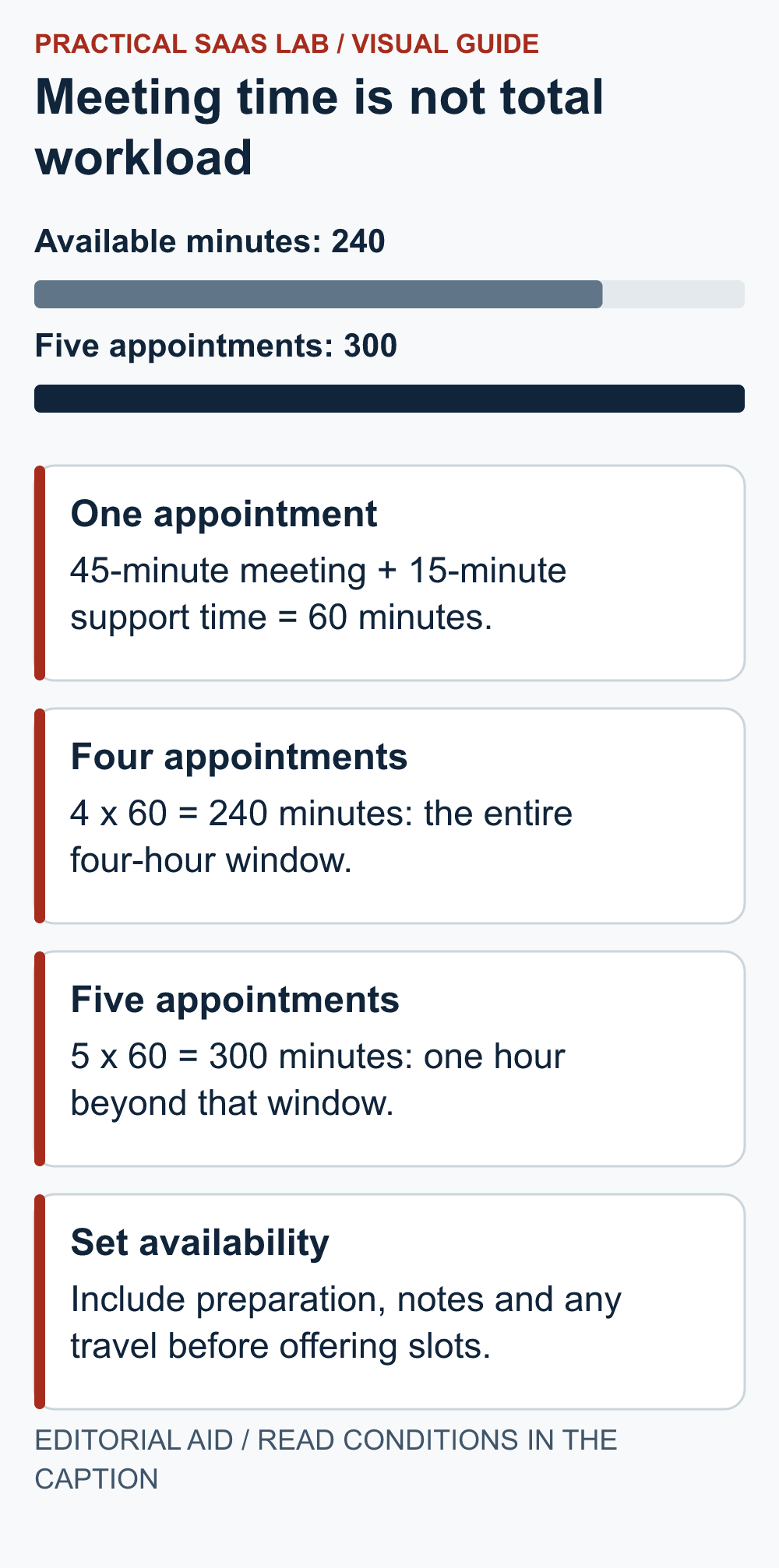
Include preparation, notes, travel and recovery time. Here is the arithmetic for an illustrative four-hour window:
- Available time: 4 × 60 = 240 minutes.
- Work per appointment: 45 minutes in the meeting + 15 minutes before or after = 60 minutes.
- Four appointments: 4 × 60 = 240 minutes; the whole window is used.
- Five appointments: 5 × 60 = 300 minutes; you are short by 60 minutes.
The calendar may display a gap; your workload arithmetic should still get a vote. Use your actual preparation and travel needs.
Check whether buffers before and after appointments overlap or combine in your scheduler’s configuration. Test the actual slots offered instead of assuming the tool implements your mental model. Set a realistic booking horizon and notice period, including the time needed to prepare.
Calendly’s official guidance describes minimum scheduling notice as the gap required between booking and the meeting’s start. Use such controls to support your operating rule, then verify availability from the visitor side. Product features and entitlements can change, so confirm what your account supports before buying around one feature.
A hybrid route can reduce friction without skipping qualification
A hypothetical local assessment service may need only service type and area before offering times. A complex agency project may need scope and readiness reviewed by a person. In both cases, collect the minimum information needed for the next decision and explain why it is requested.
Make the status clear at each step:
- Request received: acknowledge the enquiry and state the achievable review window. The appointment is not yet booked.
- Suitable to schedule: the assigned person sends a booking link or agrees a time.
- Booking confirmed: show the actual date, time zone, location and change instructions.
If the visitor can self-book immediately, move straight to a genuine confirmation. For the questions before booking, use our enquiry-form field decision guide.
Keep the two routes consistent. A visitor who already provided context should not need to retype an essay just to choose Thursday. Transfer only the appropriate information through authorised integrations and avoid collecting sensitive material in ordinary scheduling notes.
Run these acceptance tests before putting the link everywhere
- Normal booking: use a clearly labelled test and confirm it reaches the intended staff calendar once.
- Existing conflict: verify that a blocked period cannot be booked when it should be unavailable.
- Time zone: inspect the visitor’s displayed zone, confirmation and calendar entry for the same appointment.
- Notice and buffers: check the earliest offered slot and the space around adjacent appointments.
- Reschedule: verify that the old slot is handled correctly and all affected people receive the right update.
- Cancellation: confirm the appointment status and that reminders stop where configured.
- Mobile and keyboard: complete the route without hidden controls or lost form context.
- Fallback: verify that a person can help when the scheduler fails or is unsuitable.
Use safe test data and avoid triggering a real charge, resource reservation or customer message without an approved plan. If payments are part of the route, test them through the provider’s supported test mode with the responsible operator.
Measure suitability, not just bookings
Track requests, suitable requests, booked appointments, attended appointments and the business outcome. Define each event and avoid counting repeated reschedules as new demand. Report missed appointments separately from cancellations made in advance.
Illustrative comparison: Route A produces 12 bookings and six suitable attended appointments. Route B produces eight bookings and seven suitable attended appointments. B might be operationally better even though its booking count is lower. This small invented example demonstrates a measurement choice, not evidence that forms outperform booking links.
Also record staff handling time and customer questions. Direct booking may reduce coordination but increase unsuitable calls; qualification may improve fit but add delay. A controlled trial should hold the offer and traffic source reasonably steady, and small samples should remain directional.
Your routing worksheet
- Offer: appointment or service, intended customer and scope limits.
- Qualification: details needed before scheduling and who reviews unknown answers.
- Capacity: duration, preparation, travel, follow-up, notice and booking horizon.
- Ownership: availability owner, backup and monitored alternative route.
- Customer messages: confirmation, changes and cancellation instructions.
- Release decision: acceptance tests, unresolved issues, review date and measures.
Choose the simplest route that your team can deliver reliably. If suitability still requires a conversation, keep that step visible. Connect the route to your contact page, and evaluate the wider customer record using our CRM guide.
Useful detail: A free half-hour may not fit the appointment
Microsoft Bookings shows availability only when both the appointment and its buffer time fit.
When capacity looks lower than expected, inspect the complete time block before relaxing the schedule. Preparation or travel time can be the reason a slot is unavailable.
Try this:
- Write the service duration and before/after buffer separately.
- Use a disposable schedule with a nearby busy event.
- Compare the slot shown to the customer with the full occupied block, then adjust only the rule that is actually wrong.
Source: Microsoft Bookings: service availability. Checked October 3, 2026. The practical check is a PSL suggestion.
Source and review date
Calendly: availability settings and minimum scheduling notice, checked September 29, 2026. The routing matrix, capacity example and acceptance tests are Practical SaaS Lab recommendations.
Related practical guides: Service Landing Page Brief: What to Write Before You Start Designing. Lead Follow-Up for Small Service Teams: Owners, Stages and Stop Rules.
If a booking route fits your service, use our Calendly vs Microsoft Bookings guide. Evaluate availability ownership, exceptions and the customer confirmation route.