Quick answer: Define one audience, one service decision and one primary next step before choosing a layout. Then write the information a cautious buyer needs to take that step. A beautiful page that leaves everyone asking “so what do you actually do?” still has a copy problem.
Jump to: Practical table · Checklist / record
For: owners briefing a writer, designer or website builder for a specific service page. This is an editorial planning method, not a conversion-rate guarantee or a replacement for user research. All sample businesses and copy are illustrative.
Check before moving on: If the offer is unclear, revise the brief before adding more decoration.

- Give the page a job
- Use a brief that forces useful answers
- A worked example: from vague promise to clear scope
- Use proof you actually have
- Handle price uncertainty without hiding the decision
- Build the reading path before the decoration
- Check a search question against the actual page
- Review with questions, not compliments
- The release checklist
- Useful detail: Make the button’s meaning survive without the picture
- Source and review date
- Use the brief to make the next decision
Give the page a job
Decide whether the page should help someone request an assessment, book a defined appointment or ask for a scoped quotation. A homepage may introduce several services; this page should answer a narrower question. Avoid mixing a service pitch, recruitment campaign and newsletter drive into one equally weighted decision.
Write down the entry context. Someone arriving from a referral may already trust the business. Someone comparing three providers may need scope, evidence and limits immediately. Record the questions heard in genuine customer conversations, but do not invent interviews or testimonials to fill a brief.
Specify who is not a fit. Location, minimum scope, technical constraints and lead time can all change whether someone should contact you. Clear boundaries save the visitor time and protect the team from enquiries it cannot serve.
Use a brief that forces useful answers
On a small screen, swipe the table sideways to see all columns.
| Section | Question to answer | Useful evidence |
|---|---|---|
| Opening | Who do you help, with what job, and where? | A precise service description. |
| Fit and exclusions | When is this service appropriate or unsuitable? | Actual scope and capacity constraints. |
| Deliverables | What will the customer receive? | Named outputs and responsibility boundaries. |
| Process | What happens before, during and after the work? | Real steps, dependencies and owner. |
| Proof | Why should this visitor trust the claim? | Authorised case evidence or clearly described method. |
| Cost context | What changes the scope and quotation? | Actual pricing basis or factors, without invented amounts. |
| Next step | What action happens after the button? | A working route with a realistic response expectation. |
A worked example: from vague promise to clear scope
Hypothetical business: a small studio offers brochure-website content reviews. Its original opening says, “We transform digital experiences through innovative solutions.” That sentence is pleasantly available to almost any company on Earth.
A more useful draft is: “Website content reviews for small service teams. We identify unclear service descriptions, missing buyer questions and confusing contact routes, then deliver a prioritised rewrite brief.” This describes the job and output without claiming an unmeasured revenue lift.
The scope section could say: “The review covers the agreed public pages and one contact journey. It does not include development, a security audit or changes to your live website.” The process might be: agree the pages, review the customer questions, deliver the brief, then hold a discussion of priorities.
The primary action could be “Ask about a content review”, followed by “Send your website address and the main issue you want to solve.” Do not publish this exact offer unless it is what your business provides. The lesson is the sequence: audience, job, output, boundaries and next action.
Use proof you actually have
Separate evidence of work from evidence of results. A sample deliverable can show how you think. An authorised before-and-after example can show what changed. A result claim needs a defined period, source and context; a redesigned page alone does not establish increased sales.
If you have no public case studies, explain the method, show a clearly labelled sample and state the limits. Do not create a fictional customer quote and style it like a testimonial. Illustration is useful when the reader knows it is illustration.
Put proof beside the claim it supports. A logo wall does not explain whether you built the website, supplied a small component or once attended the same event. Use accurate relationship descriptions and permissions for names, logos and private information.
Handle price uncertainty without hiding the decision
If pricing is fixed, give the actual price and explain the inclusions and relevant conditions. If it depends on scope, describe the variables the quotation needs: number of locations, deliverables, integrations, content readiness or turnaround. Do not invent a “from” price that few suitable customers can actually obtain.
A useful next step can be a scope discussion rather than an immediate purchase. Explain what the visitor needs to provide and what they get back. “Contact us for details” is less helpful than naming which details matter and who will respond.
Keep internal implementation costs out of the customer’s main journey unless they affect a meaningful choice. A visitor usually wants to know who updates opening hours, not the entire plugin genealogy.
Build the reading path before the decoration
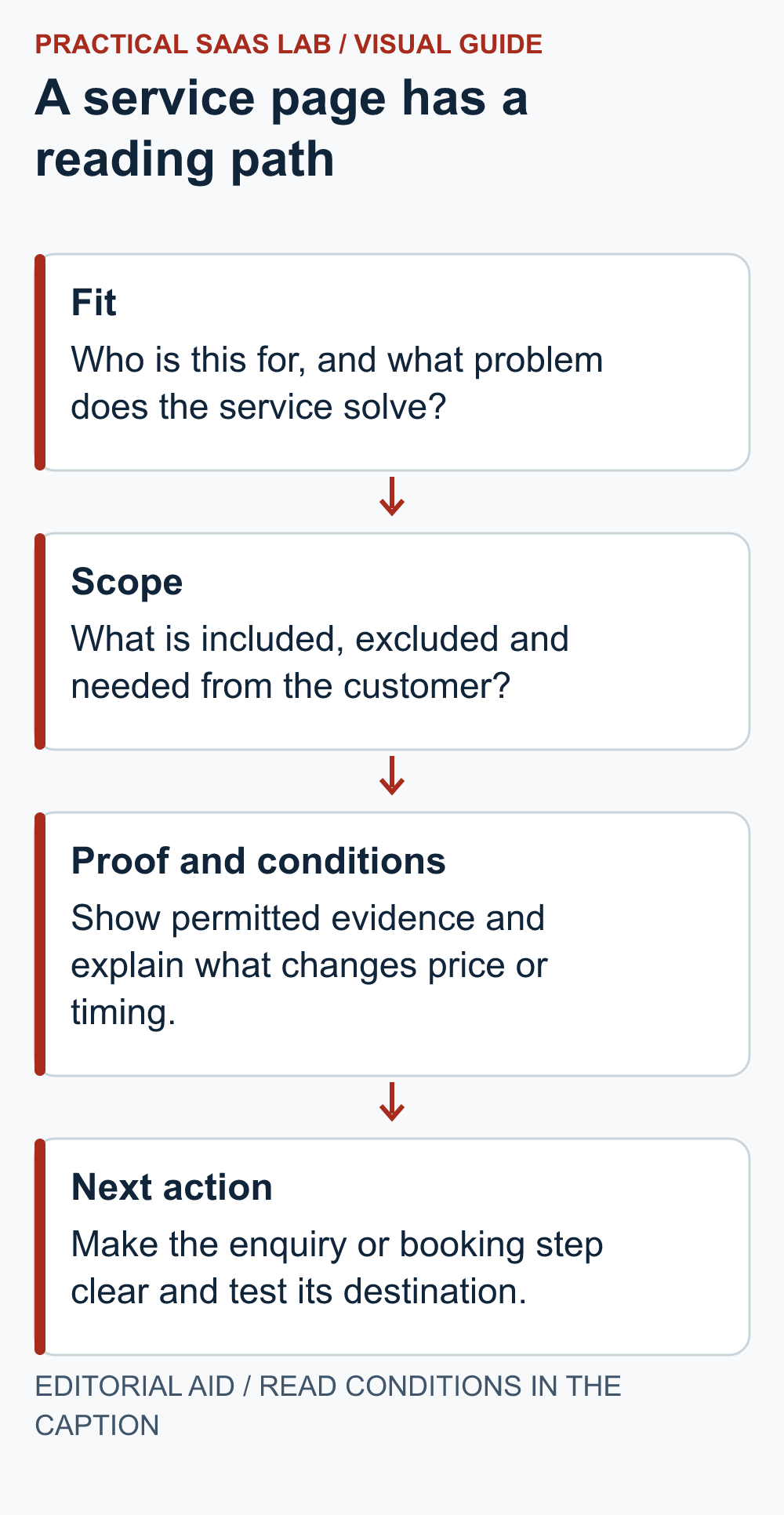
Place the short answer and primary action early. Use headings that match buyer questions, short paragraphs for explanations and tables only where the reader compares alternatives. Keep the visual order consistent with the reading order; do not hide the main condition in a decorative side panel.
On mobile, inspect long headings, tables and the path to the action. If a form is part of the page, use clear labels that remain available after typing. W3C’s forms guidance explains why controls need associated labels; placeholder-only text is not a complete substitute for that relationship.
Test the actual submission and confirmation with a controlled enquiry. A button that looks excellent but points to an old booking service has passed the design review and failed the business task.
Check a search question against the actual page
After the service offer and route are approved, use a real search question as a reading test. Ask: would someone who typed this question understand the service, its limits and the next action from this page? Do not turn every related phrase into a new heading. One useful answer near fit, scope or cost may resolve several phrasings.
If you have Search Console access, start with the exact service URL in the Pages view and inspect Queries while that page is filtered. Record the property, dates, country, device and page URL with the visible query. A sitewide query row does not establish which service page appeared, and low-volume rows can be incomplete. The service-page query-intent guide shows the page-level decision and a copyable review record. Without page-attributed data, label the question as a hypothesis from customer conversations or manual research.
Brief addition: Searcher’s question: [question]. Page section that answers it: [heading]. Verified business fact needed: [owner/source]. If the answer belongs to a different reader task, link to that guide from the relevant paragraph instead of inflating the service page. Keep the primary enquiry route visible after the new answer.
Review with questions, not compliments
Ask someone unfamiliar with the service to explain who it is for, what is included, what is excluded and what happens after the primary action. Avoid leading questions such as “isn’t the new design clearer?” Record where they hesitate and what they infer incorrectly.
For a small site, this qualitative check can reveal useful problems before traffic is sufficient for a meaningful experiment. It is not statistically representative research. Treat it as a way to find confusing language, then use real enquiries and appropriate analytics to guide later improvements.
Choose one primary outcome and a few supporting measures. Track whether enquiries fit the service, not only button clicks. Keep consent, duplicate submissions and test traffic in mind when interpreting the data. Do not promise a conversion increase from a wording change before measuring it.
The release checklist
- Audience, service and exclusions are understandable without a sales explanation.
- Every important claim has evidence, a qualification or an explicit sample label.
- The deliverables and next step match the actual operation.
- Mobile text, keyboard navigation, labels and errors have been checked.
- The primary action reaches the intended destination and responsible person.
- A named owner can update scope, prices and availability when they change.
Use the website-builder decision guide after the brief is clear, and the contact-page checklist to test the final handoff.
Useful detail: Make the button’s meaning survive without the picture
W3C says a functional image’s alternative should identify the link or button’s purpose.
In the landing-page brief, specify the enquiry action in words before choosing an icon. The operator should be able to describe what happens after activation without referring to the colour or image.
Try this:
- Write the promised action and destination next to the button specification.
- Review the visible label and accessible name together.
- Open the destination and check that the next page continues the same promise.
Source: W3C WAI: functional images. Checked October 3, 2026. The practical check is a PSL suggestion.
Source and review date
W3C WAI: labeling form controls, checked September 29, 2026. The brief, sample copy and review method are original editorial recommendations; this checklist is not an accessibility conformance certification.
Use the brief to make the next decision
Give the writer or builder one service, one intended reader and one action to test. Decide whether that action is a booking or an enquiry, then use the SEO content brief to align the search question with the page. Add a service FAQ only for important questions the main explanation has not answered. Rehearse the published route with a labelled enquiry before calling the page complete.