Quick answer: Choose a website builder by who will maintain the site. Everyone has an opinion about the homepage on launch day. Three months later, who is going to change the opening hours? A designer, a solo owner and an in-house site operator need different workflows. Have the actual editor try one routine change and one enquiry before you commit.
Start here: Find the shortlist for your service business. The visual guide below compares update ownership, content, control and total cost.
Evidence: These suggestions use official product information and our WordPress editing experience; we have not tested all four builders side by side.

Decision table
On a small screen, swipe the table sideways to see all columns.
| Platform | Good fit | Check before paying |
|---|---|---|
| Webflow | A designer updates layouts; hosting is managed | Site plan, editor access, and moving later |
| WordPress.org | You need a choice of host and add-ons | Who handles updates, security and backups |
| Wix | A few pages need easy updates | Plan limits and how to move later |
| Hostinger website builder or WordPress hosting | Budget-sensitive launch | Confirm which product you are buying and renewal terms |
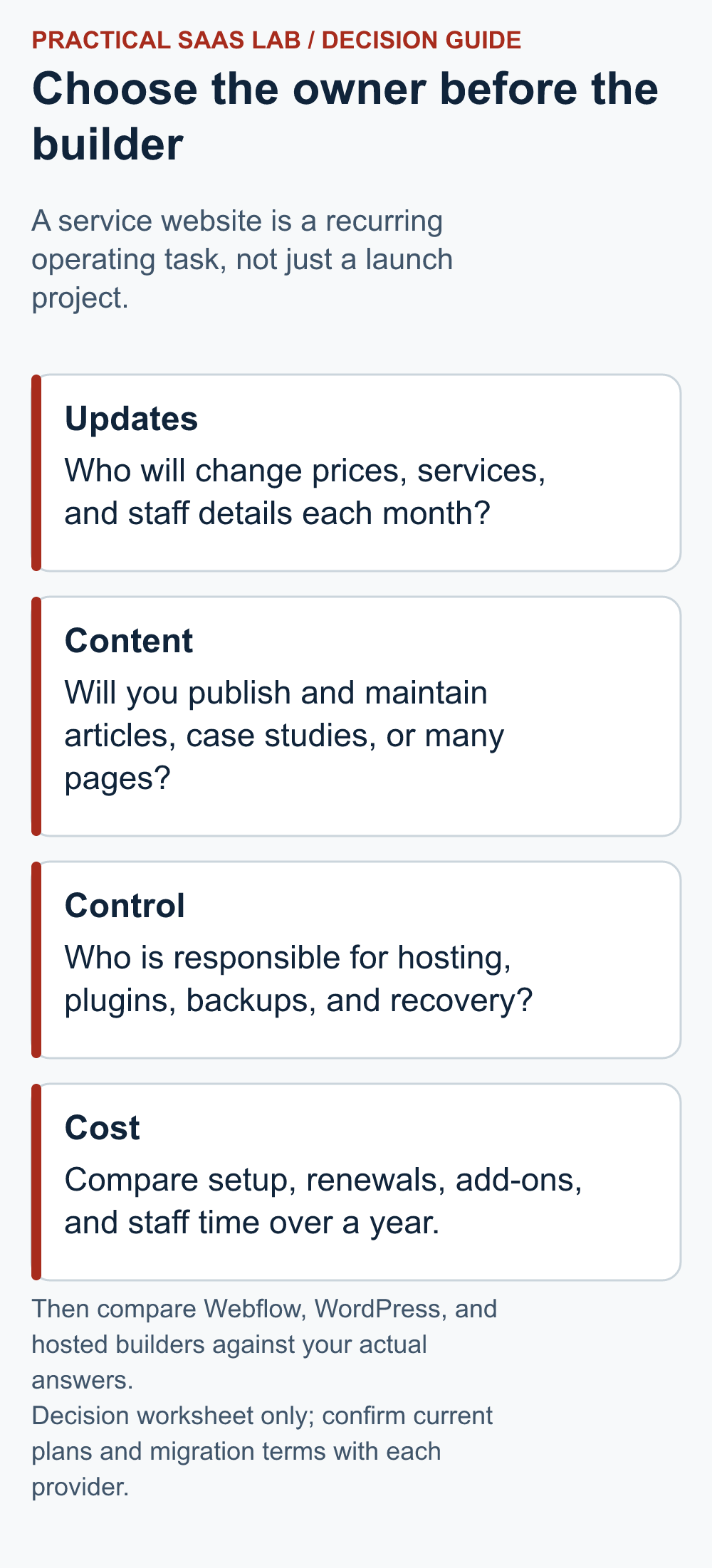
Shortlists for three service-site jobs
These are suggestions for different jobs, not speed test results. Ask the person who will update your site to try the same task in two builders before choosing a plan.
- Solo consultant, five stable pages: try a simple managed builder such as Wix or Hostinger’s website builder if the owner can change a service description and receive a test enquiry without outside help. Check export options and the renewal price. If you rarely add articles or case studies, you may not need a plan for repeatable content.
- Design-led agency publishing case studies: shortlist Webflow if a designer owns the layouts and the editor can update a case study through a reusable page template. Rehearse a new project entry, a testimonial correction with permission and a mobile form submission. Check the Site plan, any Workspace requirement and the cost of leaving later; reject it if routine changes require the designer every time.
- Content-led firm with an in-house site operator: shortlist self-hosted WordPress when the team needs control over themes, hosting and extensions and can name who handles updates, backups and failed forms. Rehearse a service-page edit, a plugin update and a restore plan. Reject this route if nobody accepts the maintenance responsibility.
Pass condition for any builder: the actual owner completes the routine edit, confirms the contact route and understands renewal and backup responsibility. If a platform fails that test, a lower advertised starting price is not a saving. This is a test plan for readers, not a claim that we operated all four products.
Use an update rehearsal, not a template gallery
Make a draft of one service page, one proof page and one contact path. Then give the editing task to the person who will own the live site. Ask them to change a service description, replace a team photo, adjust opening hours or location details, and check the result on a narrow phone. A platform that looks attractive in a designer’s demo can become costly if a routine correction always needs a specialist.
Before you choose, write down who edits the copy, who controls the domain and hosting, who checks a failed form, who renews the plan and who restores a backup. “Someone on the team” needs an actual name here. If nobody can take on the work, simplify the site first.
For a five-page service site, compare how the owner edits the site and whether the contact form works before paying for complex content features. For a growing knowledge base, create one article and one case-study template, then test how a non-designer updates them. Keep the platform decision tied to that task, rather than the number of templates in a sales gallery.
What we actually changed in WordPress
While preparing Practical SaaS Lab on WordPress, we edited a comparison table and checked it in a 320px preview. The table needed its own sideways scrolling area. A separate desktop width problem also needed a CSS layout fix. This was real work beyond writing the article.
We have not repeated that task in Webflow, Wix or Hostinger. Try a similar edit yourself before deciding which builder is easy for your team.
Define the real job first
A service site needs a clear offer, evidence, a usable contact action and a way to update content. A designer-led agency may need more layout control. A consultant publishing a weekly knowledge base may prefer flexible content ownership. A local provider with five static pages can often use a simpler managed builder. List the next twelve months of edits before committing.
Compare three-year cost
Count the domain, site plan or hosting, template, paid add-ons, email, forms, support, backups and staff time. Webflow changed its Site plans in 2026, and the timing for existing accounts can differ. Check the offer and renewal shown for your own account, including whether it supports the pages you plan to publish.
Region check: Pricing, currency, taxes, plan availability and trial terms may differ in the US, UK, Canada and Australia. Confirm the offer and terms displayed for your location on the official site before subscribing.
Three-year cost check: add setup, 36 months of plan or hosting fees, paid add-ons, upkeep hours and a possible move. Use a range if staff time is uncertain. An introductory offer can cost more after renewal. The right comparison uses your team’s real tasks and current checkout terms.
WordPress.org software is open source, but a production site still needs hosting and maintenance. Hostinger’s introductory hosting offer should be compared with its renewal rate and term. No builder automatically writes credible service copy or creates customer proof.
Recommendation
Sketch a five-page site and one enquiry path. Test the same edit on two candidates before a long commitment. Send a real test enquiry to check the destination, spam handling and reply process. Read Webflow vs WordPress for the maintenance decision; use the update rehearsal above to define the first pages and test the enquiry route.
Once you have a shortlist: if you choose self-hosted WordPress, work through our hosting checklist before committing to a plan. Once the platform and owner are clear, use the seven-day website launch checklist to turn the decision into working pages and a tested enquiry route.
Considering Webflow? Read our source-based Webflow evaluation for the plan, editing and exit-path questions to check. If those requirements do not fit your team, compare the four alternative routes before deciding.
Useful detail: Use one missing-button task in every builder demo
Wix Editor can hide desktop elements in the mobile version and provides a panel to find them.
A useful builder demo should include maintenance of the enquiry route after a content change. Use a comparable task in every candidate instead of awarding points for a prettier starter template.
Try this:
- Find the intended enquiry button on a real-sized mobile view.
- Ask the future operator to explain how visibility is controlled.
- Make one harmless edit and verify the public button and destination before rating the maintenance task.
Source: Wix Editor: hidden mobile elements. Checked October 3, 2026. The practical check is a PSL suggestion.
FAQ
Do I need a CMS for a five-page site?
Not necessarily. If you publish articles, case studies or locations often, a system that reuses the same page structure may help. See our static pages vs Webflow Collections guide for a concrete decision test before paying for a CMS plan.
Should I choose the cheapest advertised monthly price?
Compare the full term, renewal price, required add-ons and time to update the site.
Sources: Webflow plans; Webflow 2026 change; WordPress.org hosting; Wix plans; Hostinger plans.
Official plan and export information rechecked: September 26, 2026. Recheck prices, regional terms and plan limits at checkout.
Put the choice to work
Ask the person who will maintain the site to make one routine edit on each shortlisted platform. Record whether they can change a service detail, publish it and undo a mistake without specialist help. Then send a test enquiry and confirm that the named owner receives and answers it. A polished demo is not a substitute for either task.
Once the platform is chosen, write the first page with the service landing page brief. If a supplier will build the site, compare proposals against the same website quote criteria. At handover, use the website handover checks to confirm account access and the enquiry route.
If Wix and Squarespace remain on your shortlist, use our Wix vs Squarespace guide. Compare routine editing and handover before committing.