Quick answer: Use individual pages for a few distinct services that rarely change. Consider a CMS when you regularly add entries with the same fields, such as case studies or team profiles. “We might start a blog” is an idea. It is not yet a publishing schedule.
Start here: Build your content inventory first. A future blog idea alone is not a reason to buy a CMS.
About this guide: Based on Webflow documentation, not a hands-on test or measured time savings.
Home, About and services can each need a different layout.
Case studies can share fields such as problem, approach and outcome.
Choose a Collection only when someone owns those entries and reviews them.
In Webflow, a Collection is a structured set of entries with shared fields and a page template. Each case study or profile is an item. Define the fields and editor before choosing a plan.
- Start with your content inventory
- Sketch one complete content record before choosing a CMS
- A practical decision rule
- Check the whole cost, not just the plan label
- Decide how you would leave before you move in
- When to choose—and when to wait
- Test one content type before buying
- Useful detail: Take the pre-import backup offer seriously
Start with your content inventory
Write down what the website must contain during the next six to twelve months. Separate fixed pages from repeatable entries:
On smaller screens, scroll the table horizontally to compare all three columns.
| Content | Typical pattern | Question to ask |
|---|---|---|
| Home, About, Contact, core service pages | A small number of distinct pages | Will a new page need a different layout and message? |
| Case studies or projects | Many entries with the same basic fields | Who adds the next entry, and what information must every entry include? |
| Staff biographies or locations | Repeated profiles | Will the list and individual profile pages stay in sync? |
| Articles or resources | A continuing publishing workflow | Who reviews, updates, and retires old content? |
| Frequently asked questions | Could be a short fixed section or a growing library | Is each answer managed independently, or is the whole section edited together? |
The existence of a blog or team page does not automatically require a CMS. The relevant question is whether the content is repeated, structured, and maintained often enough to justify a template and field model.
Sketch one complete content record before choosing a CMS
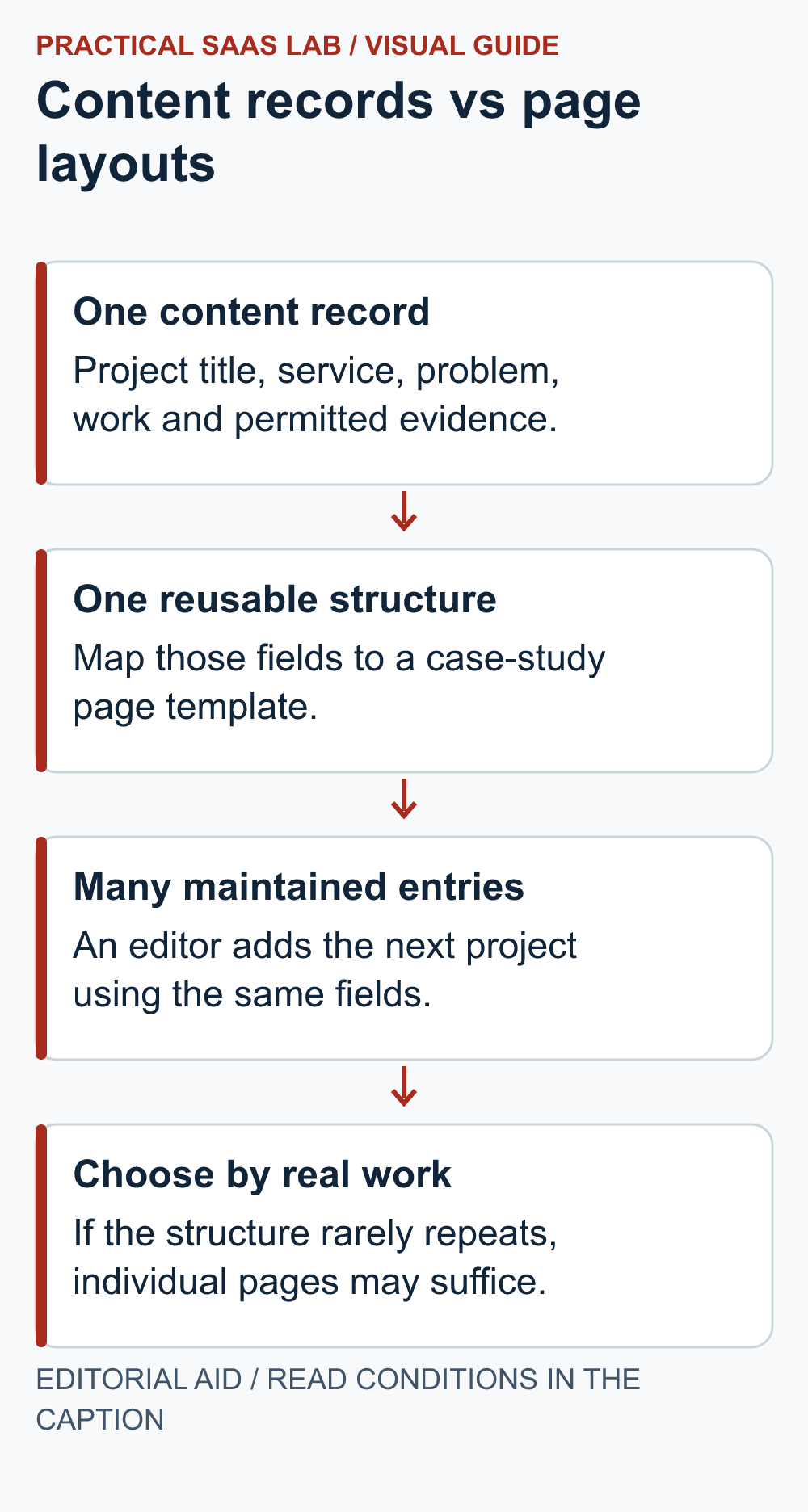
Illustrative case-study model: A service team wants to publish project summaries with the same structure. Sketch this record first; it is a planning example, not a tested Webflow Collection or an actual client project.
- Title, required: “Content review for a local service website”.
- Service, required: choose an approved service category rather than inventing a new spelling each time.
- Problem, required: “Visitors could not tell what the assessment included.”
- Work delivered, required: “A revised scope section and clearer enquiry instructions.”
- Measured result, optional: leave blank if no authorised measurement exists. The template should omit that section, not substitute a percentage or an empty heading.
- Client identity and image, optional: publish only with the necessary permission; use an approved anonymous description when appropriate.
- Internal approval, required by the workflow: record who confirmed the claims and permitted publication, outside the public template.
Now test two entries: one with every approved field populated and one without a result or image. Ask the normal editor to create both, correct a service category and preview the output. Check that missing optional content leaves a coherent page and that internal approval notes never appear publicly.
If the team keeps adding unrelated one-off fields, the content may not share a useful model yet. Simplify the scope or keep those pages separate. If nobody has a second real entry planned, do not let an elaborate Collection become a filing cabinet waiting for a business case.
A practical decision rule
Consider individual pages first when your site has few entries, each page needs its own design, and one person makes occasional updates. Consider a Collection when several entries share a stable structure, new entries are expected regularly, and an editor needs to add them without rebuilding page layouts each time.
For example, a consultancy with three detailed services and one Contact page may not need a Collection. A consultancy that publishes a new client story every month could model a case-study Collection with fields such as client type, problem, approach, outcome, date, image, and disclosure status. The field names are an editorial example, not a prescribed Webflow configuration. Before adopting it, decide which fields are mandatory, who can supply verified claims, and how old stories will be reviewed.
A CMS can organize your content. It won’t volunteer to write it. If nobody owns the updates, even a carefully structured Collection can go stale. Name the editor and agree on a review schedule before choosing the platform.
Check the whole cost, not just the plan label
Before committing, check the current Webflow Site plan for the number of static pages, Collection items, Collections, and any relevant form or localization needs. Webflow changed its plan lineup in 2026, so an older article or invoice may not describe the plan offered to a new customer today. Check the purchase screen for your billing country, currency, cycle, taxes, and particular account rather than treating a price quoted in an article as universal.
Three-year total cost = subscription and add-ons + initial content modeling and design + recurring editing and review + expected migration work. This is a planning formula, not a measured cost comparison. The cheapest subscription can be an expensive choice if every new page requires specialist help; a higher-tier plan can be wasteful if the team publishes only a few fixed pages. Record who performs each task and how many times it realistically occurs.
Decide how you would leave before you move in
Webflow documents CSV export for CMS Collection content. That is useful for backups and migration planning, but a CSV of content is not a complete, functioning website elsewhere. Rich text, references, images, and files need inspection during migration. Webflow notes that exported image and file URLs may continue to point to the original site; deleting that site can break those assets. Exported site code also does not make Webflow’s dynamic CMS and native form processing operate automatically on a different host.
Before launch, keep a list of your content fields, image originals, form destination, URL structure, and integrations. If switching platforms is a realistic possibility, test a small export and re-import workflow with your own content. We have not performed that test for this article.
When to choose—and when to wait
Evaluate a Webflow Collection if you can name the repeated content type, specify its fields, identify its editor, and justify the plan and maintenance cost. Wait on a CMS decision if the content inventory is still hypothetical, updates are rare, or no one is responsible for ongoing publishing. In either case, make the essential service pages clear and accurate first.
For a broader platform decision, read our guides to choosing a website builder for a service business, comparing Webflow with WordPress, and our source-based Webflow evaluation. This article addresses the narrower question of content structure; it is not a hands-on Webflow review or performance benchmark.
Test one content type before buying
Take one actual case study or team profile. Write the fields it needs, mark which are required, and ask the future editor to create a second entry from the same structure. If each entry needs a different layout, fixed pages may be simpler. If the structure repeats and the editor can publish without rebuilding a page, a Collection has a concrete job.
Before committing, confirm the current plan supports the required item count and publishing workflow. Keep the original images, field list, form destination and URL map outside the platform so an eventual move is manageable. For the wider platform choice, use our Webflow versus WordPress guide.
Useful detail: Take the pre-import backup offer seriously
Webflow offers to create a site backup when importing Collection items from CSV; its guidance recommends a backup before import for large existing collections.
In a builder-versus-WordPress trial, include the recovery checkpoint in the import task. A clean sample CSV does not remove the need to know how the operator returns to the earlier collection state.
Try this:
- Use a harmless sample collection and record its starting state.
- Check the supported backup and restore route before the import.
- Review the imported fields and the recorded checkpoint before expanding the test to live content.
Source: Webflow: importing CMS content. Checked October 3, 2026. The practical check is a PSL suggestion.