Quick answer: A website handover is complete when your business can access the essential accounts, make a routine edit, receive an enquiry and get help if something breaks. A login alone does not show who controls renewals, who can edit, or where a customer enquiry goes.
Start here: Run the three handover tests · Copy the handover record
For: small business owners taking over a new website, changing agencies or bringing routine editing in-house. Use this as an operational acceptance checklist alongside your agreed project scope. It is not a contract template or a claim about legal ownership.
Basis: The checklist is our suggested operating process. WordPress documentation supports the specific explanation of user roles below. Examples are illustrative, not client case studies.

- What you should be able to demonstrate
- Separate account access from everyday editing
- Run three handover tests with the actual team
- Find the subscriptions hiding behind the website
- Use pass, open and not applicable
- Copy this into your handover record
- Common questions
- Useful detail: Ask for the database and files, not only an XML export
- Source and review date
- Do one owner-led acceptance check
What you should be able to demonstrate
On a small screen, swipe the table sideways to see all columns.
| Area | Ask for | Acceptance check |
|---|---|---|
| Domain and DNS | Provider, account controller, renewal date and responsible person. | The designated owner can access the appropriate account and locate renewal details. |
| Hosting or site platform | Plan, billing owner, renewal terms and support route. | The business knows what it pays and how to get help. |
| Content editing | Individual editor access and instructions for routine changes. | The actual editor changes and previews a draft service description. |
| Enquiries and bookings | Destination, connected services and primary/backup responder. | A labelled test arrives and someone can reply. |
| Backups and recovery | Scope, schedule, retention, restore procedure and responsible operator. | The evidence states what was tested and what remains untested. |
| Recurring tools | Paid themes, plugins, forms, email and other dependencies. | Costs and the effect of ending the agency arrangement are clear. |
| Assets and support | Agreed source files, usage permissions, instructions and support scope. | The business can find its materials and knows how an issue is handled. |
Separate account access from everyday editing
The domain, DNS, hosting and website editor may live in different accounts. Do not assume that a WordPress login also gives you the ability to renew the domain or contact the hosting company.
Ask the provider to map those accounts and identify who controls each one. Record account references and where access is managed; do not paste passwords, recovery codes or API keys into a shared handover document.
Use named accounts and the permissions needed for the job. In standard WordPress, an Editor can manage posts and pages, while an Administrator has broader site administration capabilities. Plugins and custom roles can change the exact permissions, so test the tasks the person actually needs to perform.
The owner needs a reliable administrative recovery route. The person correcting a spelling mistake does not necessarily need every administrative control. Keep multi-factor authentication and recovery arrangements usable for the authorized owner.
When a staff member or agency leaves
Add their access to the account inventory, then separate three decisions:
- Keep the work usable: name the successor for files, unfinished tasks, integrations, recovery and billing administration.
- End access at the agreed time: have the authorised maintainer review each account and connection. A WordPress login is only one route; urgent revocation should not wait for a complete handover.
- Verify the result: record the admin evidence of access removal and the successor’s ordinary edit or workflow test.
A password change does not show where the work went. Use the small-team SaaS offboarding checklist for a full inventory and a record of unresolved exceptions.
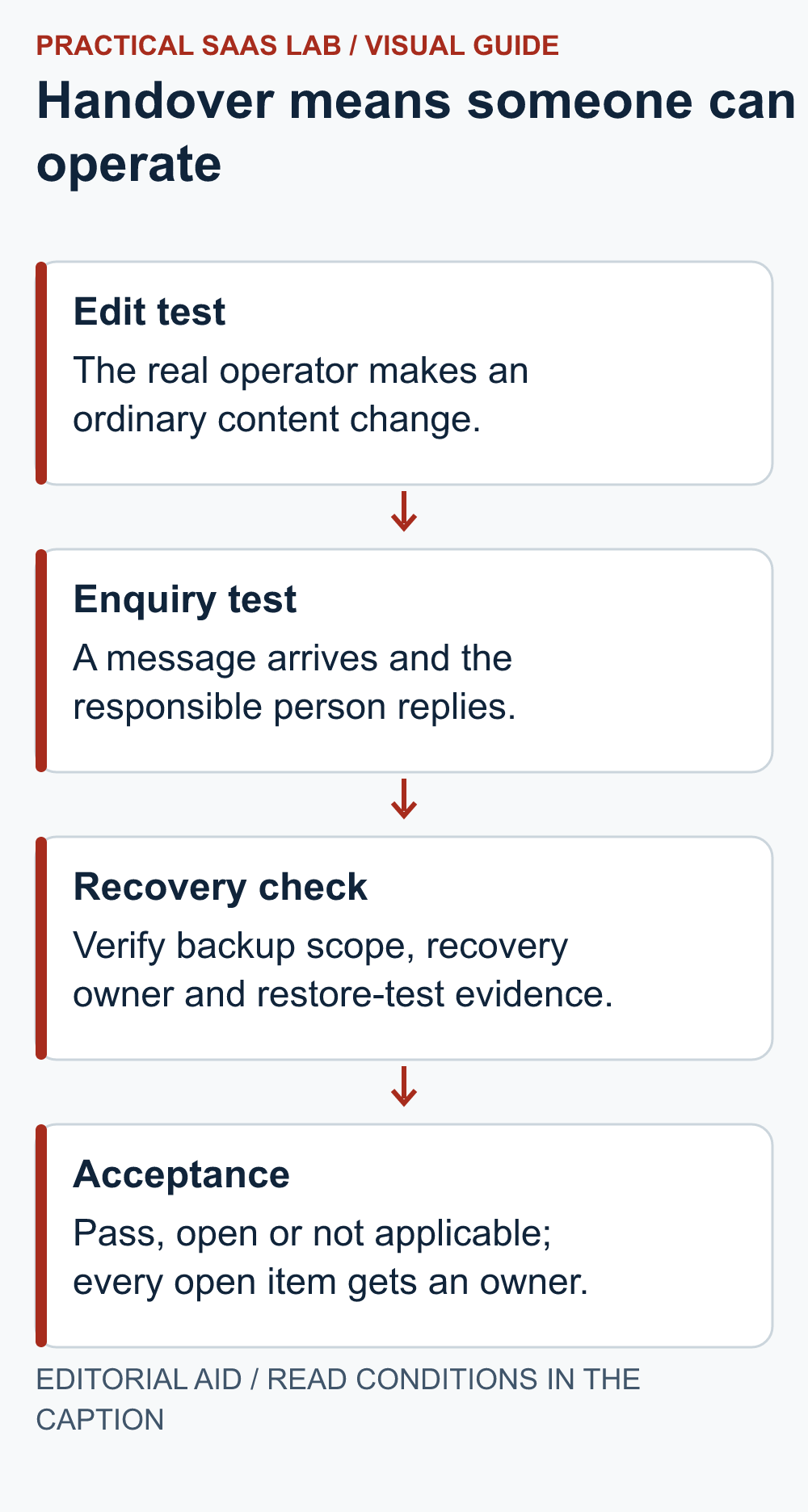
Run three handover tests with the actual team
1. The ordinary edit
Give the future editor the supplied instructions, then ask them to complete this short test:
- Open a draft and change a service paragraph.
- Replace an image with an approved asset.
- Preview the result on a narrow screen and check that the subject and text still make sense.
If the designer takes the mouse back at every step, the training has not finished. Use the website image checklist to check image permission, mobile cropping and alt text before calling the edit complete.
Write down which changes are safe for the editor and which should go to the maintainer. A new paragraph, a navigation restructure and a plugin update are different jobs.
2. The enquiry
Send a clearly labelled test through the actual contact route. Check the confirmation, inbox or CRM entry, assignment and reply. For booking systems, use an agreed test procedure that avoids real charges or unwanted customer notifications.
Agree who covers absences. “Sales handles it” is not enough if Sales consists of one person currently on a plane. Name a primary responder and a backup.
3. The support handoff
Ask the provider to confirm four things in plain English:
- Contact route: where to report a broken form and what evidence to include.
- Coverage: when someone is available and who covers absences.
- Commitment: whether the stated time is a first response target or a repair commitment.
- Cost: what is included, what is charged separately and who can authorise it.
A scheduled backup report is useful evidence, but it is not a successful restore. Ask for the date, scope and outcome of the most recent restore test, if one exists. Mark it untested if nobody can show one.
Find the subscriptions hiding behind the website
Start with the domain renewal record: who renews it, which payment method is used and what confirms completion.
Request an inventory covering the domain, hosting or builder plan, premium theme, plugins, forms, email delivery, booking service and any other paid dependency. Some may be paid directly by the business; others may sit under an agency arrangement.
For each item, record the current billing term, next renewal, who pays, cancellation arrangements and what changes if you leave the provider. Do not assume that an agency license transfers to your business. Verify the relevant vendor terms and the agreed arrangement.
Our suggested budget structure is simple: recurring services + planned maintenance + expected content work + separately quoted changes. Use your actual quotes. There is no universal maintenance price that can be inferred from the number of pages alone.
If the ongoing work is unclear, compare the ownership questions in our Webflow vs WordPress guide and the renewal questions in our hosting checklist.
Use pass, open and not applicable
Do not turn the handover into a folder full of unexplained screenshots. Give each item a status: Pass, Open or Not applicable. Every open item needs a person and a next step.
Illustrative example: a consulting business takes over its website. Record each result separately:
- Pass: the team can edit its service page.
- Pass: the test enquiry arrives.
- Open: the paid form license is in the agency account, with no confirmed arrangement after support ends.
The first two results do not close the third. Keep the license issue assigned and do not describe the whole handover as complete.
Copy this into your handover record
- Website, provider and handover date:
- Business owner and backup contact:
- Account inventory and secure access references:
- Departing people or agencies, access end time and verification:
- Editor rehearsal result:
- Enquiry receipt and reply result:
- Renewal inventory and billing owners:
- Backup scope, recovery owner and restore-test evidence:
- Assets, instructions and agreed support coverage:
- Open items, owners and next actions:
Common questions
Does everything have to move into my account immediately?
Not necessarily. Managed arrangements can be workable when control, access, costs and exit responsibilities are explicit. Do not trigger account transfers or cancel services until the migration steps and dependencies are understood.
What if I do not want to maintain the website myself?
That is a reasonable choice. Appoint a maintainer and make the responsibilities specific. Delegating the work is different from leaving it unassigned.
What should I do first?
Ask your provider to complete the inventory, then book a handover session with the person who will actually edit the site. If you are still choosing a platform, use our service-business website builder guide to start with the maintenance owner.
Useful detail: Ask for the database and files, not only an XML export
WordPress WXR exports do not include site options or the attachment files themselves.
For a WordPress handover, identify which package serves content transfer and which serves recovery. A useful XML file is not the same deliverable as a restorable site backup.
Try this:
- List database, uploads, themes, plugins and configuration responsibilities.
- Record where the matching backup parts are held and who can access them.
- Have the maintainer demonstrate the agreed recovery check in a suitable isolated environment.
Source: WordPress: WXR export limitations. Checked October 3, 2026. The practical check is a PSL suggestion.
Source and review date
WordPress: Roles and Capabilities, checked September 29, 2026. The account inventory, rehearsals and acceptance rules are editorial recommendations; they do not establish contract rights or guarantee recovery.
Do one owner-led acceptance check
Ask the future editor to make and preview a routine service-page change, then send one labelled enquiry and have the named responder locate it. Record each result as pass or open with an owner and date. If a website project has just been accepted, transfer its agreed scope and open questions first using the proposal-to-kickoff handoff record. Give the editor only the access needed for the task; use the WordPress roles guide to review that assignment.