Quick answer: Choose a WordPress host the named site operator can maintain and recover. Before a long contract, get the full first-term and renewal totals, check what a backup restores, and account for domain and email charges. A low monthly equivalent is useful only after those checks pass.
Before you buy: Use the six-point purchase checklist. For a concrete example, see what we checked in our own WordPress backup—and what remains untested.
About this guide: A source-based buying framework, not a Hostinger performance or uptime test. Confirm current requirements, plan limits, renewal costs and email terms before paying.

- Begin with the site, not a plan badge
- Compare the cost after the promotion ends
- Ask what a backup actually restores
- Keep the domain, email and exit route in view
- When Hostinger is worth shortlisting—and when to wait
- Six checks before buying
- Useful detail: Ask how the host shows a fresh public page
- Primary sources
Begin with the site, not a plan badge
Start with the site you actually need. Five service pages and a contact form are a different job from a store, membership site or busy publication.
- Workload: site type, update frequency and required mailboxes.
- Owner: who edits and maintains the site, including any paid developer time.
- Recovery: how long an outage is tolerable, where the backup is and how to reach support.
If you will fix a failed update yourself, check that you can use the recovery route without waiting for the developer.
WordPress.org publishes current server requirements. Check the host’s PHP, database and HTTPS support against the live page. A marketing label such as “WordPress optimized” does not replace a compatibility check.
On smaller screens, scroll the table horizontally to compare all three columns.
| Decision question | A simple service site can usually start with | Reconsider when |
|---|---|---|
| Updates | One named maintainer and a repeatable process | Several people edit, or staging and rollback become essential |
| Recovery | A documented full-site restore path and owner-accessible copy | Enquiries or transactions make a long restore window unacceptable |
| Confirmed number and term of included mailboxes | More staff need mailboxes or a trial becomes a separate charge | |
| Capacity | Resource limits that fit the actual site and normal traffic | Store, heavy media, unusual scripts or proven resource pressure |
| Support | A response route and hours the owner can use | Downtime has a time-sensitive sales or service impact |
This is an editorial decision table, not a benchmark or a claim that any one plan meets every row.
Compare the cost after the promotion ends
The advertised monthly equivalent may describe a prepaid first term. Hostinger’s renewal guidance shows where an account’s renewal price appears. Check the actual offer, renewal date, domain eligibility, domain renewal, email term and tax before paying.
Three-year cash total: Add the first hosting payment, every hosting renewal due through month 36, domain and email charges, required backup or support add-ons, and paid maintenance. Compare two offers over the same 36 months. Mark a missing amount as unknown; do not silently treat it as zero.
Ask what a backup actually restores
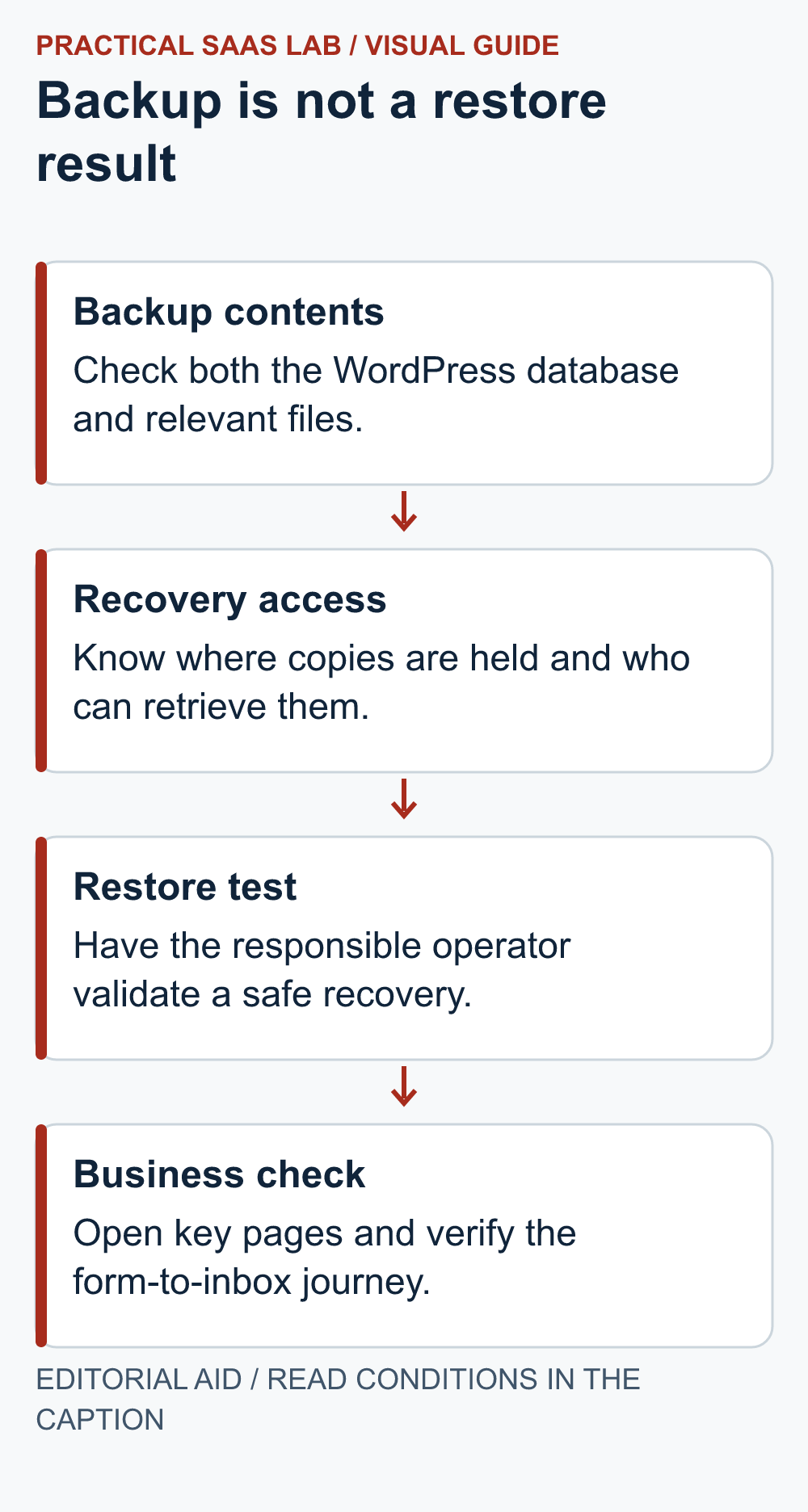
A WordPress recovery needs the database and relevant site files. WordPress’s backup guidance treats them as separate parts of a usable backup set. Ask how often copies are made, how long they are retained, whether they can be downloaded, and whether a single site can be restored. Document a test restore before relying on the backup for a business-critical site.
Hostinger’s backup documentation distinguishes availability and retention by backup type. Inspect the specific plan and current terms rather than assuming every plan has the same recovery point. A copy retained only with the host also leaves account-access and migration risk; keep an owner-controlled copy where appropriate.
What we checked on our own site
On September 27, 2026, we exported this site’s database and site files from our XServer account, checked the ZIP for corruption, and extracted the files into a separate, non-public folder without replacing the live site. We also checked that registered images, active plugins and the parent and child themes were present in the backup. These were checks on our own site, not a Hostinger test.
What we did not prove: we did not import the database into an isolated WordPress installation and confirm that the restored site could run. Our verification environment did not have the required database and PHP runtime. A successful download, readable archive or matching file list is not a completed recovery test.
A useful question for your maintainer: “Can you show me the backup date, both the database and files, and a separate restored site with working pages, images and the enquiry route?” Record any untested step instead of marking the whole process complete. Protect backup copies as private data; do not place database exports or configuration files in a public download folder.
Keep the domain, email and exit route in view
Use the domain renewal checklist to record the registrar, payment owner and renewal evidence separately from hosting.
Record who owns the domain registration, where DNS is managed and who receives renewal notices. Hosting, domain and business email can be separate services even when sold together. Test the contact form’s delivery and reply path; a live site that silently loses enquiries is not operationally ready.
Before a long commitment, ask what can be exported and how to move. Google’s hosting-move guidance recommends testing pages, images, forms and downloads when infrastructure changes without changing URLs. A site migration offer may help with files while email still requires its own move. Keep the old service until critical paths and DNS transition have been verified.
When Hostinger is worth shortlisting—and when to wait
Hostinger publishes plan-selection, limits, renewal, backup and migration documentation. It is a candidate to investigate if its live checkout fits your region, budget and WordPress maintenance needs. That is not a performance endorsement. Record the precise plan’s resource limits, email term, backup frequency, renewal total and support route, then compare another host using the same checklist.
Do not upgrade just because a higher plan advertises more websites. Pay more when a specific constraint—recoverability, staging, resource use, multiple sites or support—justifies it. Conversely, do not lock in the cheapest long term if you cannot establish how to restore the site or what renewal costs.
If the future editor does not want to maintain WordPress at all, compare a managed builder. Our service-business website builder guide evaluates maintenance responsibility, while Webflow vs WordPress examines ownership and workload. If the site itself is not ready, use the seven-day launch plan to set scope before buying a larger package.
Six checks before buying
- Fit: Confirm current WordPress requirements and the resources this site needs.
- Cash: Record first payment, renewal date and price, domain, email, taxes and add-ons.
- Recovery: Confirm backup scope, frequency, retention, download and a tested restore owner.
- Maintenance: Name who updates WordPress, themes and plugins and who handles a failure.
- Help: Find the support route and its limits before an outage.
- Exit: Record how to export the site and cancel without losing the domain or mail.
Compare another host with the same six checks. Hostinger’s current plans are an official comparison starting point. Choose the least complex plan that passes the checks for your own site.
Useful detail: Ask how the host shows a fresh public page
Hostinger’s Cache Manager guidance describes purging a whole site or an individual URL, with local cache checks if older content persists.
Make cache troubleshooting part of the hosting support comparison. A maintainer should be able to explain which layer serves an old page and demonstrate the supported route on a harmless change.
Try this:
- Ask each candidate how an operator refreshes a single changed page.
- Record who can use the relevant cache controls under the intended plan.
- Check the public result from a fresh visitor context and retain the exact changed URL in the maintenance note.
Source: Hostinger: Cache Manager. Checked October 3, 2026. The practical check is a PSL suggestion.
Primary sources
- WordPress.org — Requirements
- WordPress Developer Resources — Backups
- Hostinger — How to choose a web hosting plan
- Hostinger — How to renew a hosting plan
- Hostinger — Plan parameters and limits
- Hostinger — Download backups
- Hostinger — Migrate a website
- Google Search Central — Changing web hosting
Sources checked September 27, 2026. Recheck live plan, backup, email and renewal terms before purchase.
Next step: Put the six checks beside two live offers and resolve any unknown renewal or restore term. If you are moving an existing site, use the website migration map to protect URLs and forms during cutover.