Quick answer: Inventory the old site’s useful URLs, map each to a deliberate destination and test the customer journey before switching. Keep the recovery plan and new enquiries in view during cutover. A successful homepage test does not prove that an old service link, brochure or contact route still works.
Jump to: URL map · Worked example · Cutover record
For: small businesses planning a website move with changed URLs, platform or structure. A host-only move with unchanged URLs has a different technical scope. This is an owner-facing planning guide, not server configuration instructions or a guarantee of uninterrupted rankings.
Check before moving on: Do not treat a working homepage as a complete migration or restore over newer customer work blindly.

- Separate the changes you are proposing
- Inventory more than the navigation menu
- Build a URL map that explains each choice
- Run a preflight on the destination
- A controlled cutover sequence
- Set stop conditions before something breaks
- Separate launch acceptance from search recovery
- The cutover record
- Useful detail: Carry section addresses in the migration map
- Source and review date
Separate the changes you are proposing
List domain changes, platform changes, URL changes, redesign, content changes and changes to forms or booking services. They are related but not identical projects. Where feasible, separate them so a failure has fewer possible causes and the business can verify each step.
Google’s site-move guidance recommends preparing and testing the destination, mapping URLs and monitoring the move. It also notes that search visibility may fluctuate. Build your plan around a functioning customer journey and a verified migration, not a promise that rankings will remain perfectly still.
Name the business decision owner and the technical operator. Decide who can delay launch, authorise recovery and communicate a service interruption. “The agency is handling it” should resolve to a named contact and an agreed checklist.
Inventory more than the navigation menu
Collect URLs from the CMS, sitemaps, appropriate analytics and important inbound references. Include service pages, contact routes, downloadable proposals or brochures, images with a business role and campaign landing pages. A page missing from the main menu may still be linked in a customer’s email.
Record each URL’s purpose and importance. Prioritise the main enquiry route and pages needed to deliver existing services. Keep a copy of the approved content and configuration references, without placing credentials into the shared migration sheet.
Inventory connected systems separately: forms, CRM routing, appointment tools, consent controls and measurement. If the move affects domain or DNS configuration, have the responsible operator explicitly account for email and other services. Website success does not prove that mail routing survived.
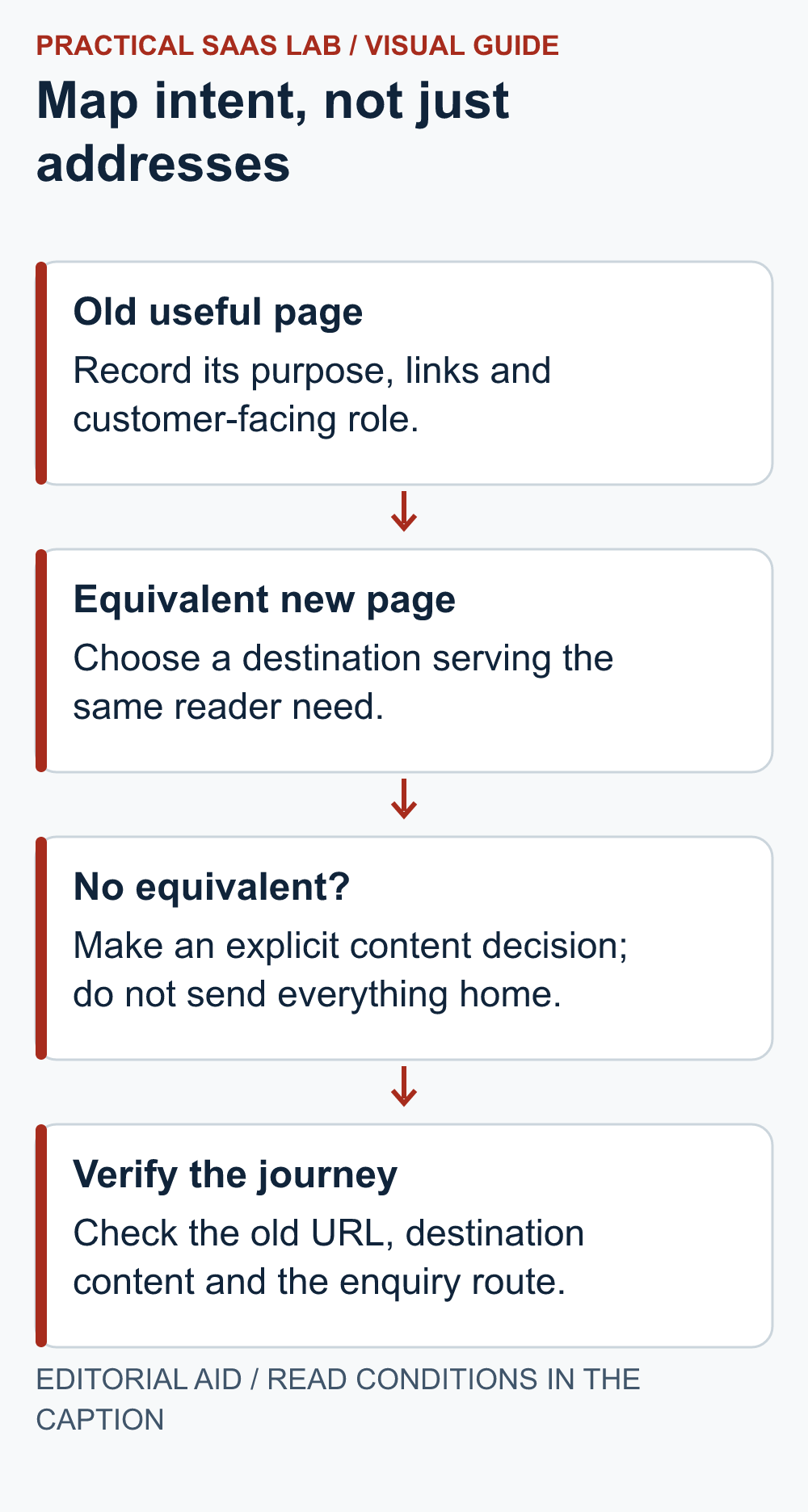
Build a URL map that explains each choice
On a small screen, swipe the table sideways to see all columns.
| Old route, illustrative | Destination decision | Required check |
|---|---|---|
| /services/site-review | New page serving the same service and coverage intent | Service, coverage rule and main action are accurate. |
| /team/jordan | Equivalent profile, if still appropriate | Name, role and authorised content are current. |
| /downloads/brief.pdf | Current file or a suitable replacement resource | The expected document opens. |
| Two overlapping service guides | One genuinely consolidated guide | Useful details are retained and intent matches. |
| An obsolete page without a replacement | Deliberate removal response | No misleading redirect to an unrelated offer. |
| /contact | Verified new contact route | Submission, delivery and ownership all work. |
Use actual full URLs in the project sheet, not these illustrative paths. Record the target status, implementation owner and test result. For location-dependent services, check the destination against the real coverage rule using the service-area page guide; a redirect can work while the new page gives the wrong eligibility answer. Google cautions against redirecting unrelated old pages to a single homepage; choose equivalent destinations where they exist and handle removals deliberately.
For permanent moves, ask the operator to implement the appropriate permanent redirects and verify they resolve to the final destination without loops. Update internal links to the new URLs rather than relying on redirects for every visit. Keep canonicals and the intended indexability consistent with the live destination.
Run a preflight on the destination
Test while the new site is appropriately protected from premature public use. Distinguish access protection from search-indexing controls; a noindex directive is not a password. Have the operator document what must change when the site becomes public.
- Open priority pages and check the approved content.
- Verify the main contact or booking journey using controlled test data.
- Confirm the assigned person can find and act on the test enquiry.
- Open important downloads and external destinations.
- Check mobile navigation, tables, forms and keyboard operation.
- Confirm authorised staff can make a routine update.
- Check consent-dependent measurement separately from basic site functionality.
- Record the backup, recovery owner and what has actually been restore-tested.
A backup job marked complete does not establish a successful restoration. If restoration has not been tested, record that limitation and have the owner assess it before launch. Avoid turning an unknown into a green tick because the launch date is close.
A controlled cutover sequence
- Agree the handoff point. Choose a lower-impact period with the necessary people available. Record the content-freeze time and which system owns incoming work before and after the switch.
- Keep a temporary queue. Give each incoming request a reference, receipt time and responsible person. Use the team’s approved system; do not scatter customer details across an improvised public spreadsheet.
- Apply the approved change. The technical operator implements the planned routing, redirects and live-site settings. Record what actually changed and when.
- Check the public journey. Open priority old URLs and verify their intended destinations. Check that live pages are accessible and staging restrictions are handled as planned. Follow one labelled enquiry all the way to its owner.
- Reconcile before closing. Match incoming requests against the destination records and temporary queue. Resolve missing or duplicate work, then record the remaining issues and next review time.
Worked example: three enquiries during the switch
This is an illustrative scenario, not a migration we performed. A small consultancy switches sites at 14:00. Three distinct enquiries arrive around that time:
- A arrives at 13:58 in the old inbox and is logged in the temporary queue.
- B arrives at 14:01 in the new CRM, with a notification copied to the old inbox.
- C arrives at 14:03 and shows a form confirmation, but the team cannot yet locate its destination record.
The correct workload is three customer requests, not four messages or notifications. Assign A once. Match B’s notification to its CRM record rather than creating a second task. Keep C unresolved while the operator checks the form’s records and delivery path. Do not repeatedly submit on the customer’s behalf or mark C received based only on the confirmation screen.
Operational acceptance remains open until C is accounted for and all three requests have a responsible person. A later labelled test must also pass through the repaired route. If recovery is needed, preserve A, B and C before reverting anything; an older database cannot know about work that arrived after its backup.
For the end-to-end test, use the WordPress enquiry test steps. On another platform, apply the same receipt-and-ownership checks using its supported tools.
Set stop conditions before something breaks
Define what delays launch: no working enquiry route, unresolved ownership of a critical account, incorrect target content or an unworkable recovery plan. Define what requires immediate escalation after launch, such as lost incoming requests or widespread inaccessible service pages.
Recovery is not necessarily a blind database restore. If the new system has received bookings, forms or edits, reverting to an older copy may discard that work. The operator must preserve and reconcile new records when choosing a recovery method.
Keep the old environment available for the agreed recovery period where appropriate, but do not leave two public systems accepting conflicting transactions. Decide how later changes and messages will be handled in advance. Two working websites can still create one very confused business.
Separate launch acceptance from search recovery
After cutover, review priority old URLs, the new site’s critical journeys and relevant error reports. Use the appropriate Search Console properties and sitemaps to monitor discovery and indexing. Investigate specific missing destinations rather than repeatedly submitting URLs without a diagnosis.
Operational acceptance means the site and business workflows pass the agreed checks. Search systems processing changed URLs is a different timeline, and traffic comparison needs context. Retain redirects and supporting infrastructure according to the migration plan and current platform guidance; do not remove them simply because the new homepage appears in search.
The cutover record
Scope and changes intentionally deferred:
Approved URL-map version:
Business owner and technical operator:
Preflight results and unresolved risks:
Freeze time, authoritative system and incoming-work queue:
Backup and restore-test status:
Cutover time and actual changes:
Public URL, expected destination and observed result:
Labelled enquiry reference, receipt and owner:
Incoming requests reconciled and unresolved items:
Recovery trigger and decision owner:
Post-launch review dates:
Use our handover checklist for account ownership and the hosting guide when choosing where the site will run.
Useful detail: Carry section addresses in the migration map
Google’s heading-link guidance recommends preserving old custom anchors or updating their inbound links when headings change.
A migration map that covers page URLs can still lose links into a useful subsection. Include important fragment addresses used by sales emails, guides or existing articles.
Try this:
- List known page-and-section links alongside the page-level map.
- Preserve the important target id where practical.
- Open each saved fragment link on the destination and confirm the intended answer is still reached.
Source: Google: preserve heading link targets. Checked October 3, 2026. The practical check is a PSL suggestion.
Source and review date
Google Search Central: site moves with URL changes, rechecked September 30, 2026. The owner checklist and illustrative map are editorial recommendations; implementation depends on your platform and infrastructure.
Related practical guides: Content Refresh Checklist: Update, Merge or Leave the Article Alone?. Small Business Automation Checklist: Retries, Duplicates and Human Recovery.