Quick answer: Refresh an article when its facts, usefulness or role need repair. Leave it alone when the answer remains sound and the only problem is that the date looks old. A changed date alone does not repair the page.
Jump to: Practical table · Checklist / record
For: small teams maintaining a growing library of business articles. This is an editorial decision process, not a claim that updating content improves rankings. Examples are hypothetical.
Check before moving on: A date change is not evidence of a new test or an improved recommendation.

- Start with a reason to edit
- Choose the smallest useful action
- Audit the page in five passes
- A worked example: correcting a comparison
- Treat consolidation as a URL change project
- Make review dates mean something
- Measure the result without claiming causation too early
- The refresh record
- Useful detail: Check whether the search feature still exists
- Sources and review date
Start with a reason to edit
Start with a named problem: a changed product feature, broken link, repeated customer question, failed instruction or two pages serving the same intent. A search trend can prompt investigation; it does not identify the fix.
Record the evidence before the edit. Save the current URL, title, relevant passage, source date and the problem. For performance-driven work, retain the filtered comparison and note changes in demand, measurement or site structure. Otherwise the team may later credit a rewrite for a movement it did not cause.
Fix claims that could change a purchase or operating decision first. Then repair missing steps and confusing presentation. Record style-only changes last.
Choose the smallest useful action
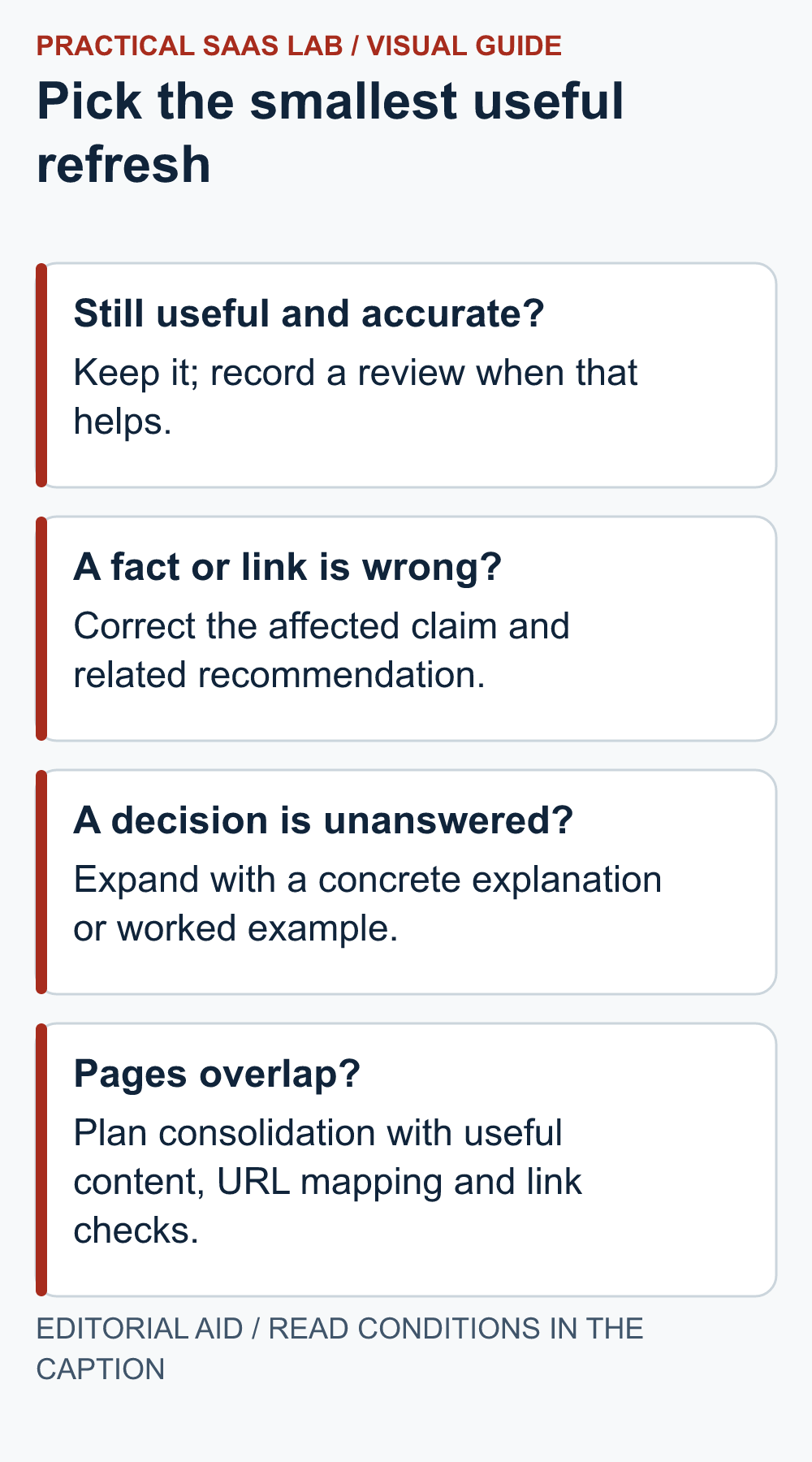
On a small screen, swipe the table sideways to see all columns.
| Finding | Suggested action | Completion condition |
|---|---|---|
| Accurate, useful, distinct article | Keep; record review | No material defect found. |
| Specific outdated claim or broken destination | Targeted correction | Claim or route verified and surrounding advice checked. |
| Important question missing | Expand the relevant section | Reader can now make the missing decision. |
| Two pages serve the same intent | Consider consolidation | Unique value preserved; URL plan approved and tested. |
| Obsolete topic with no useful replacement | Consider retirement with a URL plan | Users and links handled deliberately, not silently abandoned. |
| Low traffic with uncertain cause | Investigate or wait | Hypothesis recorded; no unsupported diagnosis. |
Before merging or retiring a low-traffic page, ask its owner whether it supports a specialised customer question or workflow. Keep it if that role is distinct and its answer is sound. High impressions alone do not justify preserving a page that attracts the wrong audience.
Audit the page in five passes
1. Facts
verify the claims that can change, especially product eligibility, functionality, limitations and price conditions. Use primary sources and retain the review date. Remove precise claims that you cannot substantiate rather than carrying them forward by habit.
2. Decision
check whether the conclusion still follows from the evidence. A new feature may change the recommendation, not just one cell in a table. Update the affected introduction, comparison and final action together.
3. Usefulness
identify where a reader would get stuck. Add the missing input, example or failure case. Do not inflate the piece with a general history of software when the reader needs to know who owns the renewal.
4. Navigation
open internal links, source links, downloadable files and section jumps. Check that the promised resource is still the destination. A “download template” link that leads to a homepage deserves repair even if the homepage looks excellent.
5. Presentation
inspect heading order, mobile line lengths, tables and repeated blocks. Keep a summary near the top and detailed support below. Confirm images and captions are accurate to the current article.
For the navigation pass: the internal linking audit record separates a working URL from a genuinely useful destination. Record misleading labels as well as broken links.
A worked example: correcting a comparison
Hypothetical situation: a comparison says Product A cannot support a workflow. Current official documentation now describes that capability, but it is limited to a different plan and does not cover every integration the reader needs.
Change the claim to state the supported scope and plan condition, without inventing a price. Then update the quick answer, comparison table and fit recommendation together. If the feature remains unsuitable for the example workflow, say why.
If you have not tested the capability, keep the wording source-based. “The documentation describes” is different from “we confirmed in our account”. Both can be useful if the distinction remains clear.
Treat consolidation as a URL change project
Before merging, list what each page contributes: questions answered, useful examples, links and customer-facing references. Select the destination because it can serve the combined intent well, not merely because its slug is shorter.
Prepare a URL mapping and retain genuinely useful material. Google advises mapping moved URLs to appropriate destinations and avoiding irrelevant redirects to a homepage. That guidance supports a deliberate migration plan; it does not mean every low-performing article should be redirected.
Update internal links and navigation, then check the old and new destinations. Do not create a loop or send several unrelated topics into one generic page. Keep a recovery record and have the responsible operator verify the site’s implementation.
Make review dates mean something
Distinguish a fact check from a substantial revision. If you checked the sources and made no material changes, say the article was reviewed where that is useful. If the recommendation changed, record what changed and why. Do not imply a new hands-on test because an editor reopened the page.
Our editorial rule is to avoid changing a publication date merely to make unchanged advice look new. The date should help readers understand currency rather than decorate the search result. Google’s broader people-first guidance provides a useful quality principle: focus on the reader’s benefit.
Keep older observations attached to their original date. A historical screenshot may still illustrate a point, but should not be presented as today’s interface. Remove it when its remaining explanatory value is weaker than the confusion it causes.
Measure the result without claiming causation too early
Separate immediate verification from later effectiveness. You can verify now that the claim is corrected, the link works and the page is readable. Search visibility, qualified enquiries and customer understanding require later evidence.
Choose a comparison window suitable for the site’s volume and business cycle. Record concurrent changes, such as a migration or campaign. Use counts and context alongside percentages. A movement from one click to two is an increase, but a thin foundation for a triumphant case study.
For a correction, accuracy is enough reason to act; it need not earn a traffic uplift to be worthwhile. For an experiment, state the hypothesis and what would cause you to keep, reverse or revise it.
The refresh record
URL and original role:
Trigger and evidence:
Decision: keep / correct / expand / consolidate / retire.
Claims and sources checked:
Material changes made:
Related sections and links updated:
Immediate QA result:
Performance hypothesis, if any:
Owner, review date and next observation window:
Start with the pages where incorrect advice would matter most. Use our SEO tool guide to identify genuine research gaps and the site-checking routine when publishing changes affects the customer journey.
Useful detail: Check whether the search feature still exists
Google removed its FAQ rich-result documentation after retiring the Search feature in 2026.
During a refresh, separate the customer value of an FAQ from an old promise about search display. Keep the useful answer and retire the obsolete feature claim.
Try this:
- Highlight claims about specific search appearances or tool capabilities.
- Check the current official documentation, not only an old tutorial.
- Record what changed and leave unrelated content alone rather than replacing the whole article.
Source: Google Search Central: documentation updates. Checked October 3, 2026. The practical check is a PSL suggestion.
Sources and review date
Checked September 29, 2026: Google’s people-first content guidance and Google’s URL-migration guidance. The audit passes and decision record are our editorial method.
Related practical guides: Search Console Weekly Review: Make Decisions Without Overreading Small Numbers. Small Business Website Migration: A URL Map and Cutover Plan.