Quick answer: Before automating a workflow, define success in the destination system, how to identify the same event twice and who handles exceptions. A green automation run is useful evidence. It does not prove the customer received one correct message and exactly one CRM record.
Jump to: Failure types and responses · Copy the recovery card
For: small teams connecting forms, spreadsheets, CRMs and notifications through no-code tools. This is a design and acceptance framework, with a Make documentation example. It is not a production-ready scenario or a report of tested reliability.

Optional recap: four recovery situations
Check before moving on: Close the run when the destination outcome is verified—not merely when an error disappears.
- Write the workflow contract first
- Classify failure before choosing a retry
- Design for repeated delivery
- A partial-failure example
- Make the exception queue operational
- Use a failure test matrix
- Include supervision in the business case
- The release and recovery card
- Useful detail: One unresolved run can hold up later work
- Source and review date
Write the workflow contract first
Describe the trigger, required inputs, validation rules, destination and business result. “Form to CRM” is not specific enough. A useful contract might be: “For each eligible enquiry, create or update the appropriate contact, create one enquiry record, assign an owner and record the destination reference.”
Decide what should happen when required data is missing. Stop and route the item for review, or apply an explicitly safe default. Do not silently manufacture an email address or mark an unassigned record complete. Defaults are business decisions, not places to hide errors.
Separate receiving an event from finishing the work. Keep a stable source reference, received time, processing status, destination reference and error reason in an appropriate restricted log. Avoid logging credentials or unnecessary customer details.
Classify failure before choosing a retry
On a small screen, swipe the table sideways to see all columns.
| Failure | First response | Why blindly retrying is risky |
|---|---|---|
| Temporary connection or rate-limit problem | Use controlled retry rules and check destination state | The destination may have accepted an earlier attempt. |
| Missing required field | Send to an exception queue with a reason | Time passing will not create the missing information. |
| Expired connection or changed permission | Have the authorised owner restore the connection | Repeated attempts do not repair access. |
| Changed field or schema | Check mapping and test the corrected version | Wrong mappings can create believable but incorrect data. |
| Duplicate event | Match the stable event reference and apply the duplicate rule | Two deliveries should not automatically create two jobs. |
| Partial completion | Inspect what already happened before resuming | A second message or booking may be hard to undo. |
| No expected event arrives | Check source and freshness monitoring | A successful empty run can hide a broken input. |
Design for repeated delivery
Use a stable event identifier when the source supplies one. If you must construct a key, document which fields define the same business event and what happens when they change. A person’s email alone is usually not an enquiry ID: the same customer may legitimately ask for two different jobs.
Before creating a destination record, use the destination’s supported method to check whether the same event already has one. Keep the resulting record ID so a later retry can find it.
The tricky case is two runs arriving together. Both can check, find nothing, and then create a record. The first lookup alone does not prevent that duplicate.
Use a supported control that closes this gap: for example, a destination that rejects duplicate event IDs as part of creating the record, or processing the relevant runs one at a time. Ask the implementer to verify the chosen method with simultaneous arrivals; do not assume the lookup makes it safe.
Call this duplicate protection only after testing the relevant cases. Do not promise “exactly once” because a lookup module appears on the diagram. Test two copies arriving close together, an earlier run timing out and a corrected resubmission that should update rather than create.
A partial-failure example
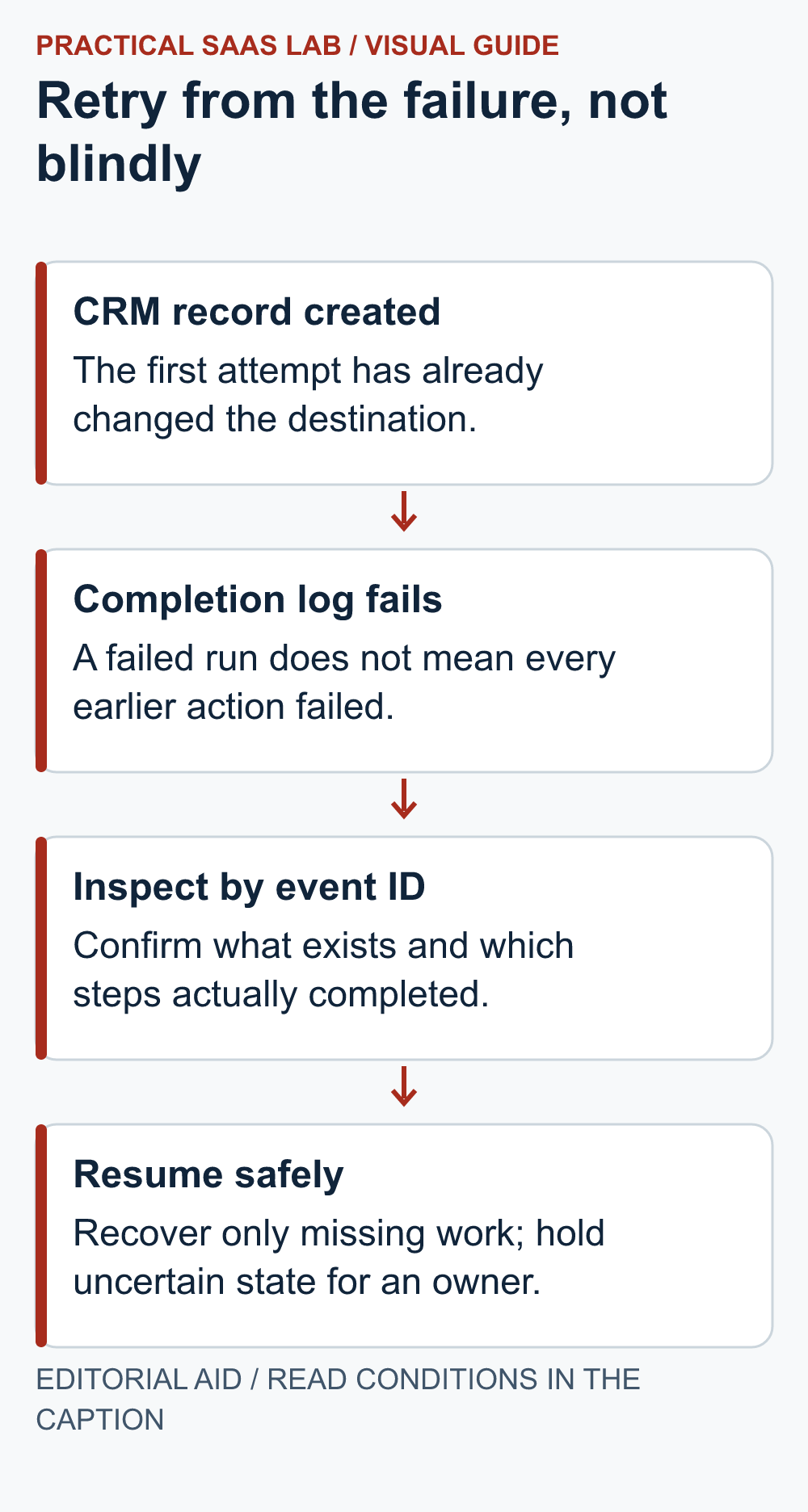
Hypothetical workflow: a form event creates a CRM enquiry, sends an internal notice and then writes a completion record. The final step fails. Starting again from the beginning could create another enquiry and another notice even though the first attempt did useful work.
A safer recovery begins by checking the source reference against the CRM. If the destination record exists and is correct, resume the missing work through the tool’s supported recovery process or record an authorised manual resolution. If the destination state is uncertain, investigate before sending another customer-facing message.
Make’s documentation explains that retries of incomplete executions start at the failing module and use the configuration from the failed execution. That is a specific product behaviour, not a universal rule for all tools or a guarantee against duplicate side effects. Check the exact run and module before deciding to retry.
Make the exception queue operational
Each unresolved item needs an owner, a reason, a next action and a review time. Distinguish “waiting for provider”, “needs data correction” and “destination state uncertain”. Those states require different responses and should not share one reassuring “pending” label forever.
Send alerts with enough context to locate the record, not a full dump of private data. Use severity based on business impact. A blocked customer request and a delayed internal summary may need different response expectations. Too many low-value alerts teach the team to ignore the one that matters.
Also monitor freshness: when did the last expected source event or output arrive? Define expected quiet periods so a weekend without activity does not become an incident. A daily report saying “zero processed” needs to distinguish no work from a failed fetch.
Use a failure test matrix
- Normal input: verify the destination content, owner and completion reference.
- Missing field: confirm the item is held with a clear reason.
- Same event twice: confirm the intended duplicate behaviour.
- Concurrent copies: check that parallel execution does not bypass the control.
- Temporary failure: observe the retry path and final destination state.
- Partial completion: recover without repeating completed side effects.
- Unavailable owner: confirm the backup can locate and resolve the exception.
- Silent source: verify freshness monitoring distinguishes a failure from a quiet period.
Run tests in a sandbox or with safe, clearly labelled records and controlled notifications. Do not deliberately break a live account’s authentication or send real customer messages to test error handling. Simulate the condition through supported test facilities or a separate test workflow.
Include supervision in the business case
Illustrative calculation: count the work left after automation, not just the manual work removed.
- Manual baseline: 100 items × 3 minutes = 300 minutes, or 5 hours per month.
- Ongoing review: assume 1 hour per month.
- Exception handling: assume another 1 hour per month.
- Capacity released: 5 − 1 − 1 = 3 hours per month, before setup and maintenance.
If setup takes twelve hours, a simple time-only payback is four months at three hours saved per month. Add subscription charges and the cost of mistakes before deciding. This is a planning model, not a measured saving. If exception volume rises, update the estimate instead of defending the original automation proposal.
Some benefits are separate from time: clearer records, a backup operator and more predictable follow-up. Record those without converting them into invented revenue. A slightly slower process may still be preferable if it is understandable and recoverable.
For a fuller calculation, use the automation break-even worksheet, including a low-volume scenario and a stop rule.
The release and recovery card
- Input and outcome: trigger, expected volume and verified destination success.
- Validation: required fields, safe defaults and the stable event identity.
- Duplicate control: repeated events, simultaneous arrivals and destination references.
- Recovery: retry limits and how to resume partly completed work.
- People and alerts: exception owner, backup, freshness and business impact.
- Release evidence: test results, open failures, version, date and rollback decision owner.
Release a limited scope, inspect real outcomes and expand only after the exception process works. Pause expansion if records are duplicated, important errors are unowned or nobody can explain the recovery path.
Start by clarifying the enquiry journey and the CRM’s role. Automating an undefined handoff mostly makes the confusion punctual.
Useful detail: One unresolved run can hold up later work
Make’s Process data in order setting can pause new runs until incomplete executions are resolved.
For a workflow that must preserve order, this can be intentional. Add the queue consequence to the recovery plan so a single exception does not become an unexplained day of missing downstream work.
Try this:
- In a harmless pilot, create a recoverable incomplete execution.
- Observe what happens to the next input under the selected setting.
- Assign the exception owner and define when the queue must be reviewed before choosing the ordered-processing setup.
Source: Make: scenario settings and processing order. Checked October 3, 2026. The practical check is a PSL suggestion.
Source and review date
Make: managing incomplete executions, checked September 29, 2026. All example workflows, calculations and acceptance tests are our editorial recommendations. Confirm current tool behaviour and account configuration before implementing them.
Related practical guides: CRM Migration from Spreadsheets: A Small-Team Cutover Checklist. Lead Follow-Up for Small Service Teams: Owners, Stages and Stop Rules.
Once the recovery rules are clear, use our Make vs Zapier comparison. Test one identical workflow, including failures and duplicate handling, before choosing a platform.