Quick answer: Test one real workflow, one hand-off and one failure before paying. Decide what must pass in advance. A free trial is not a bargain if it quietly becomes a subscription nobody owns.
Jump to: Trial pass/fail criteria · Worked cost example · Copy the decision card
For: small business owners comparing a current process with a new tool. This is a vendor-neutral evaluation method; all dollar amounts are hypothetical.

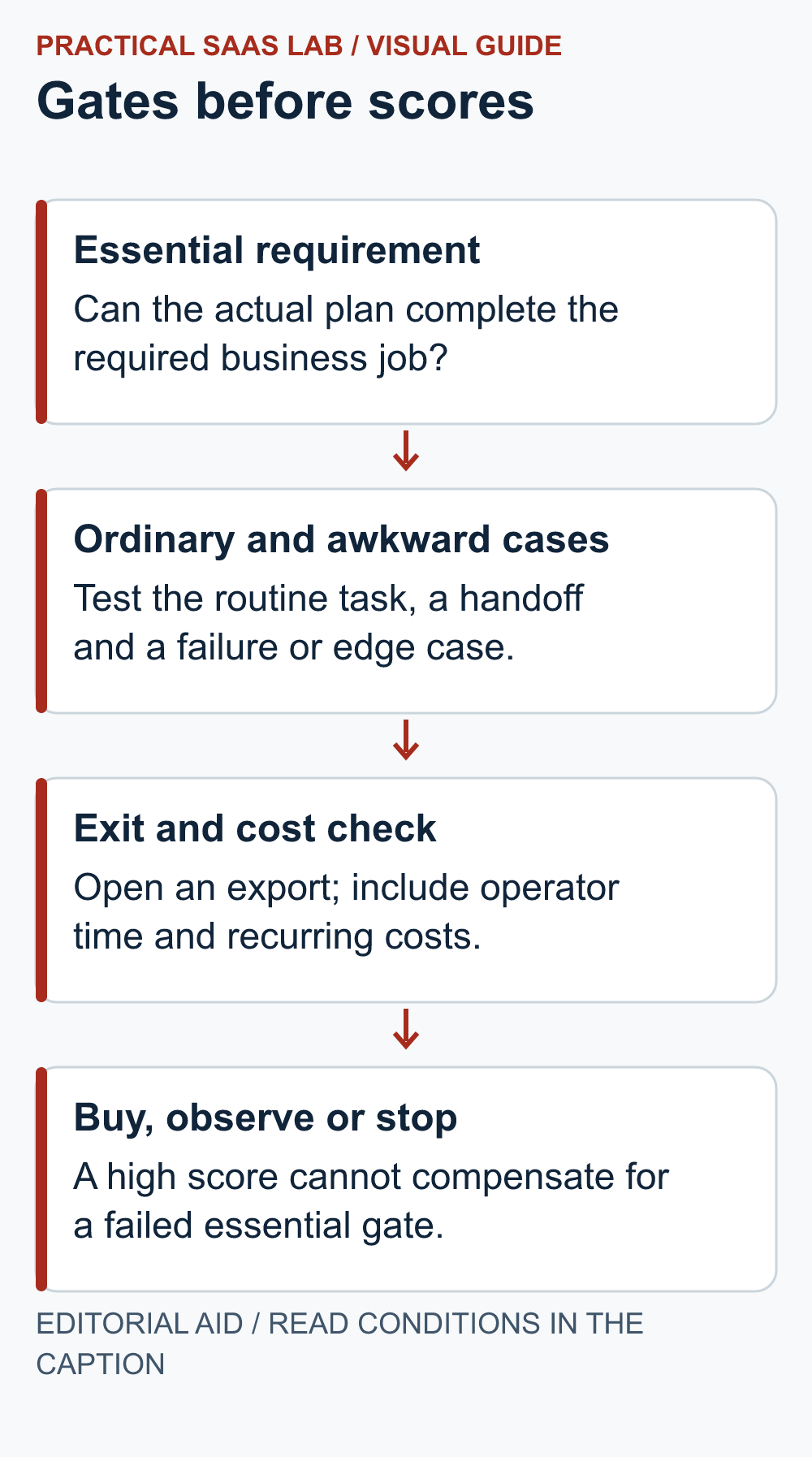
Optional recap: the four-step trial decision
Decision gate: An essential failure cannot be averaged away by nice-to-have features.
- Start with a decision, not a free account
- Use gates before scores
- Pick three cases that expose the work
- Fit the test inside the actual trial window
- A worked example: a promising time saving that needs checking
- Choose buy, extend the test, or stop
- A trial decision record you can copy
- Useful detail: Add a next-day export check to the trial
- Sources and editorial basis
- Choose the next step
Start with a decision, not a free account
Write down the job you want the software to improve. “We need a better project tool” is too loose. “A second person must find the next action on every open job without asking the owner” can be tested. The trial should answer that sentence, not discover how many colourful views a dashboard can hold.
Name the person who will operate it, the person who approves spending and the person who checks the result. They may be the same person in a very small business, but the three decisions still exist. Keep the current process available until the new one passes. A trial is permission to learn, not an obligation to migrate.
Use gates before scores
On a small screen, swipe the table sideways to see all columns.
| Question | Evidence to collect | Decision rule |
|---|---|---|
| Can it perform the essential job? | A completed representative case | Fail the trial if a must-have remains unresolved. |
| Can a colleague take over? | A hand-off using only the shared record | Count private explanations as extra work. |
| What happens when something fails? | A failed or duplicate test case and its recovery | Name the person who can recover it. |
| Can the required data leave? | An opened export with checked fields | An export button alone does not pass. |
| Does the required plan fit? | Actual edition, seats, limits and renewal terms | Price the tested workflow, not the cheapest advertised tier. |
Do not let a high average score cancel out a missing essential function. Attractive reporting cannot compensate for losing customer records. Separate mandatory gates from preferences.
After the gates pass, use a simple score to compare convenience:
- 0 — Unsupported: the task cannot be completed.
- 1 — Workaround: the task needs a documented extra step.
- 2 — Independent completion: the normal operator completed it without help.
These are suggested labels, not an industry standard.
Pick three cases that expose the work
Use one ordinary case, one hand-off and one awkward case. For a CRM, that could be a new enquiry, an absent owner and the same person enquiring twice. For scheduling, try a booking, a reschedule and a request outside the service area. For reporting, recreate the usual report, hand it to a colleague and introduce a missing input.
Use fictional or otherwise authorised test data. Keep payment collection and customer notifications out of exploratory tests unless explicitly approved and safely controlled. Record the steps a person performs, including copying between windows and fixing fields. The workaround you forget to write down tends to become somebody’s permanent job.
Repeat the same cases in the current process. A new tool does not need to be perfect; it needs to improve a defined problem enough to justify its cost and disruption. If both systems fail, the process definition may need attention before the software does.
Email marketing example: If the job is a subscriber welcome sequence, our GetResponse subscriber journey trial guide applies these checks to signup, duplicate entry, stopping behaviour and ownership. It is research-based and contains an affiliate link; it does not report a tested campaign result.
GetResponse email-trial option (affiliate link): If your trial job is a permission-based welcome sequence, check GetResponse’s current plans and trial options against the scorecard’s signup, stop and ownership gates. Confirm current terms before any commitment. We may earn a commission if you purchase through this link. Read our affiliate disclosure.
For a complete funnel pilot: Our systeme.io pilot and exit checklist applies the same method to a landing page, signup route and resource delivery. Check the complete journey before replacing existing tools. The example is fictional and research-based, with no measured conversion claim.
Fit the test inside the actual trial window
Confirm the account’s real expiry date, time zone, billing trigger and cancellation procedure before adding data. Trial terms vary. Put the decision meeting before the deadline, leaving time to export and cancel if needed. Do not assume that an unused account cannot renew.
A suggested sequence is setup, ordinary case, hand-off, exception, export and decision. Run a short trial in that order rather than spending all the time importing history. If the trial is too short for a meaningful business cycle, call the result a workflow check. Do not claim it proved a long-term sales improvement.
A worked example: a promising time saving that needs checking
Hypothetical example: Assume the tool costs $60 per month and saves five minutes on each of 40 monthly tasks. These are planning assumptions, not measured results.
- Gross time: 5 minutes × 40 = 200 minutes, or about 3.33 hours.
- Capacity value: at an assumed $30 per hour, that is about $100 per month.
- Recurring supervision: subtract one hour × $30 = $30.
- Subscription: subtract $60, leaving an estimated $10 net economic benefit per month.
- Setup: four hours × $30 = $120. At $10 per month, simple payback is 12 months if the assumptions hold.
Staff capacity value is not cash saved: payroll may remain unchanged. Test the handling time and supervision before using this estimate to buy.
That does not automatically mean “reject.” Fewer missed hand-offs or more consistent customer replies can be worth paying for. Record those benefits separately, using observable outcomes. Do not turn them into invented revenue to make the spreadsheet look friendlier.
For a workflow with repeated items, try the automation break-even worksheet to see how the result changes with volume and exception handling.
Choose buy, extend the test, or stop
Buy only the plan that passed the essential cases at an acceptable total cost. Extend observation when the workflow passes but there is too little activity to judge the benefit. Stop when an essential gate fails, the owner cannot maintain the process, or the workaround costs more than the problem.
Avoid testing five similar tools indefinitely. Start with the current process and one credible alternative. Add another only when the first exposes a specific unmet need. More tabs are not the same as more evidence.
If you decide to buy: turn the successful trial case into a task card for the team. The small-team software onboarding guide explains how to rehearse normal work, exceptions and handovers before expanding access.
A trial decision record you can copy
Business job:
Current process and recurring problem:
Trial deadline and billing trigger:
Three test cases and evidence:
Mandatory gates passed / failed:
Operator time and workaround:
Export opened and checked:
Required plan and full recurring cost:
Decision owner, decision and reason:
Next review or cancellation confirmation:
Close the trial deliberately. If you decline, retain the evidence you need, export approved records and confirm the account’s billing outcome. If you adopt, assign an operator and a review date. A tool is only part of a working process; somebody still has to open it on Monday.
Useful detail: Add a next-day export check to the trial
Airtable’s exported attachment download URLs are temporary, so the vendor recommends saving the actual attachments before expiry.
A useful trial should prove you can work with the saved export later, not just immediately after clicking Download. Use a harmless attachment rather than confidential material.
Try this:
- Export one sample record and save its attachment.
- Keep the record-to-file relationship in the trial evidence.
- Reopen the saved file in a later session from the approved destination, without depending on the exported temporary URL.
Source: Airtable: attachment URL behavior. Checked October 3, 2026. The practical check is a PSL suggestion.
Sources and editorial basis
Original Practical SaaS Lab evaluation framework. Check trial and billing terms in the specific provider’s account documentation. Reviewed September 29, 2026. The workflow and examples are editorial proposals, not measured customer results.
Keep going: Audit existing subscriptions · Run a CRM pilot
Choose the next step
After the workflow passes, compare the cost and flexibility of the billing commitment. Monthly or Annual SaaS Billing? Calculate the Break-Even Before Committing.