Quick answer: Use a current pipeline snapshot to assign today’s work, and an intake cohort to measure what happened to enquiries received in a defined period. Do not divide this week’s wins by this week’s new enquiries when those wins came from older enquiries. Show the denominator and still-open cases beside every rate.
Jump to: Practical table · Checklist / record
For: owners and service-team leads reviewing a small pipeline. This is a suggested reporting method; examples are fictional and are not conversion benchmarks.
Decision gate: If the denominator is unclear, do not present the percentage as a conversion rate.

- Decide whether you are reviewing workload or outcomes
- Five metrics with explicit denominators
- Compare source groups without changing the cohort
- Follow a group received in the same period
- A worked example with unfinished business
- Make response-time measures useful to the team
- Keep pipeline value separate from cash you can spend
- Run a review that ends with action
- The weekly pipeline review card
- Useful detail: A manual probability can stop following the stage
- Sources and editorial basis
- Use the next review to move work
Decide whether you are reviewing workload or outcomes
A sales pipeline is the set of enquiries or opportunities still moving toward an outcome. A workload review asks who needs to act today. An outcome review asks what happened to a defined group of enquiries. Mixing the two produces numbers that can look convincing while answering neither question.
Start with one row per opportunity and a stable identifier. One contact can have several genuine jobs, while repeated messages about the same job should not automatically become new opportunities. Write that distinction down before counting leads. Otherwise your marketing report can improve because someone pressed Send twice.
Five metrics with explicit denominators
On a small screen, swipe the table sideways to see all columns.
| Metric | Suggested definition | Common trap |
|---|---|---|
| Open enquiries without an owner | Count of open records with no assigned person | Counting closed or archived records too. |
| Overdue next actions | Open records whose next-action deadline has passed | Treating every old record as overdue. |
| First response time | Elapsed time from receipt to first substantive human reply | Counting an automatic acknowledgement as a resolved reply. |
| Win rate for resolved opportunities | Won ÷ (won + lost), for a defined group | Mixing new arrivals with old closures. |
| Unresolved share | Still open ÷ all valid opportunities in the same group | Dropping unresolved cases from the story. |
These are proposed operating definitions. Choose business-hours or elapsed-hours response time and keep the choice consistent. If your service closes at weekends, both can be useful, but they answer different questions. Record the reporting time zone and the cutoff so two people can recreate the same result.
Compare source groups without changing the cohort
If you compare outcomes by lead source, use the same intake period, opportunity definition and review cutoff for every source group. Keep original source, latest source and CRM record-creation method separate; they answer different questions. Include an unknown row instead of distributing unattributed enquiries across the known channels.
Show received, won, lost and still-open counts before calculating a rate. A source with two wins from three resolved enquiries and seven cases still open does not yet have a clean final outcome. The CRM lead-source tracking guide defines the source fields and evidence rules that feed this comparison.
Follow a group received in the same period
A cohort simply means a group with a shared starting condition. Here, use valid enquiries received during the same week or month. Keep following that group after the period ends. Record new arrivals separately from older opportunities that happened to close this month.
This avoids a common mismatch: dividing this month’s wins by this month’s enquiries when many wins came from earlier months. You may still report both counts for operations, but that division is not a clean conversion rate for either group.
A worked example with unfinished business
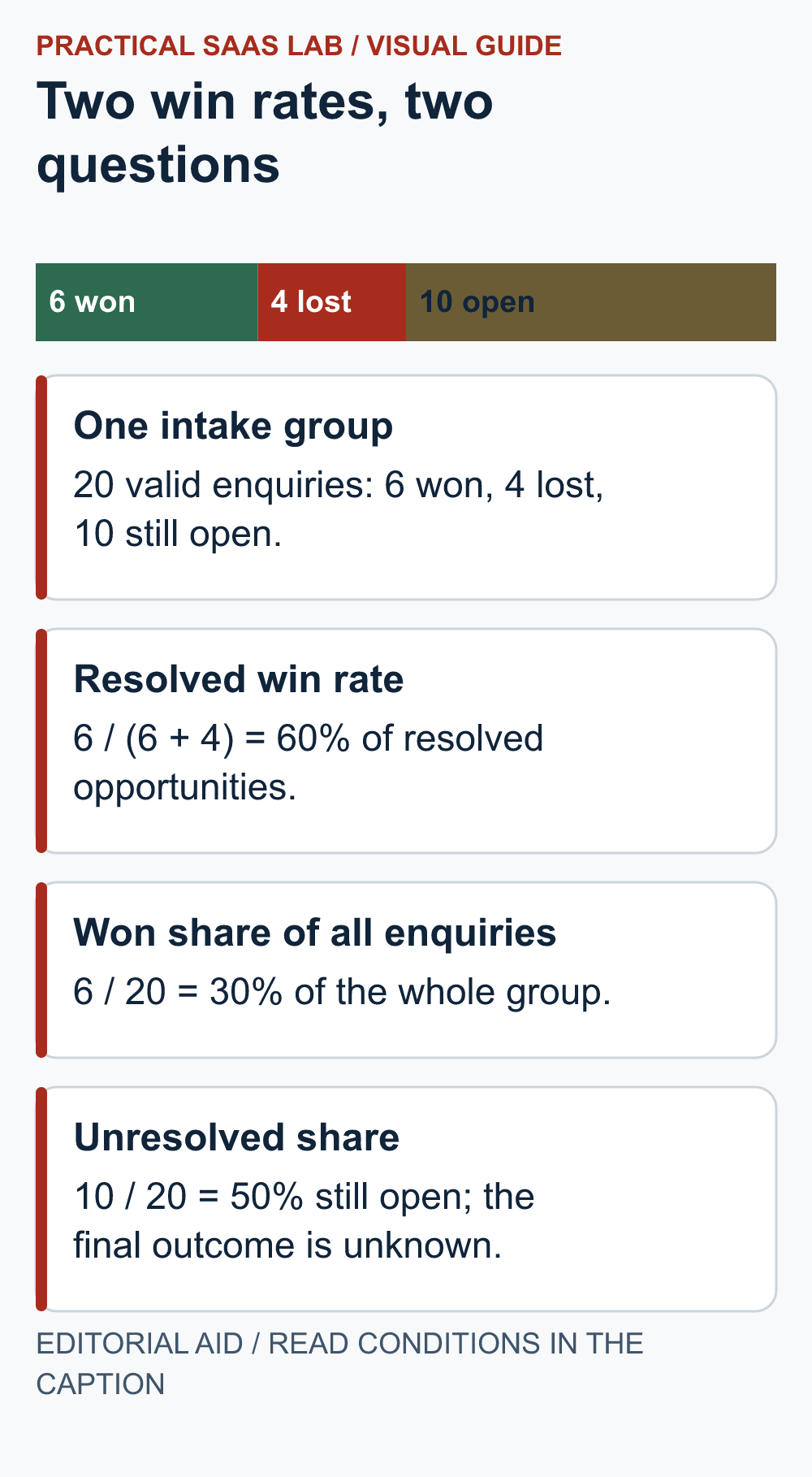
Illustrative group: 20 valid enquiries arrived in April. At the review date, 6 are won, 4 are lost and 10 remain open.
- Among resolved opportunities: 6 ÷ (6 + 4) = 60% won.
- Across the whole intake group: 6 ÷ 20 = 30% won so far.
- Still unresolved: 10 ÷ 20 = 50% remain open.
All three numbers can be correct. They answer different questions. Saying “we convert 60% of enquiries” would hide half the group that has not finished. Present the counts beside the percentages and label the denominator. Twenty enquiries are also too few to support sweeping conclusions about the whole business.
Suppose two of the open opportunities become won next week. Update the same April group and show the later review date. Do not quietly move those enquiries into May’s intake. Keep a dated snapshot if you need to explain why the earlier report differs.
Make response-time measures useful to the team
An average can hide a few badly delayed replies. With a small queue, show the individual overdue cases alongside the median response time. The median is the middle value after ordering the times; it is less pulled by one extreme delay, but it still does not replace examining the delayed cases.
Mark enquiries with missing timestamps as unknown. A blank is not zero minutes. Separate a first reply from a solved request, and note whether the reply actually advanced the conversation. “Thanks, we will get back to you” can be courteous without being the operational outcome you intended to measure.
Keep pipeline value separate from cash you can spend
A pipeline total is a list of possible work, not a bank balance. Record the opportunity value, expected decision date and uncertainty. A weighted estimate multiplies each value by an assumed probability, but the assumptions need evidence. Arbitrary stage percentages do not become reliable simply because a CRM calculates them automatically.
For a small team without enough historical data, a plain scenario can be more honest: committed work, plausible additional work, and uncertain opportunities. Label the assumptions and capacity required. Do not count both a quote and its replacement quote as separate revenue.
Run a review that ends with action
- Clear today’s blockers: find ownerless records and overdue next actions.
- Resolve missing information: name who will check each gap and by when.
- Review outcomes: use the same intake group, cutoff and definitions.
- Decide on old open work: choose a next action, an agreed pause or a reason to close.
A stalled record should not remain “hot” because no one wants to spoil the dashboard.
Assign one person and one next date to each action. If there is no action, record why. Review process failures without using a tiny sample to rank staff. A person handling difficult or high-value cases may have a different closure pattern from someone handling straightforward requests.
If repeated records are distorting the totals, use the CRM duplicate cleanup checklist. Keep genuine separate jobs and annotate data corrections instead of presenting them as sales performance changes.
The weekly pipeline review card
Reporting cutoff and time zone:
Opportunity definition and exclusions:
Intake group and original count:
Won / lost / still open at this review:
Metric names and denominators:
Ownerless and overdue cases:
Missing data and corrections:
Actions, owners and deadlines:
Forecast assumptions kept separate from actual outcomes:
A useful report makes the next decision easier. If a chart cannot explain who should do what, keep it as background rather than the centre of the meeting. Begin with clean counts and stable definitions; add more metrics only when they answer a recurring question.
Useful detail: A manual probability can stop following the stage
HubSpot documents that manually editing deal probability stops its automatic updates through open stages until the deal reaches Closed Won or Closed Lost.
When weighted pipeline numbers look surprising, inspect the probability’s history before rewriting the report formula. A stage label and a manually overridden probability can describe different assumptions.
Try this:
- Inspect one permitted test deal’s stage and probability.
- Check whether an import, integration or manual edit set the probability.
- Record the agreed interpretation and avoid mixing manual overrides with stage-based estimates without labelling them.
Source: HubSpot: default deal properties. Checked October 3, 2026. The practical check is a PSL suggestion.
Sources and editorial basis
Original Practical SaaS Lab operational reporting framework. Metric labels in individual CRMs may use different definitions; inspect the actual report settings. Reviewed September 29, 2026. The workflow and examples are editorial proposals, not measured customer results.
Use the next review to move work
Pick one reporting cutoff and write the intake definition on the review card. Then list ownerless and overdue opportunities separately from cohort outcomes. Assign each open case an owner and next date using the follow-up rules. If spreadsheet duplicates or missing fields make the denominator unreliable, fix that source data before comparing rates; the CRM migration guide provides a cutover check.