Quick answer: Use consistent source, medium and campaign values, test the final link and keep known enquiries separate from unknown attribution. A campaign name should explain where a link belongs without needing its creator in the meeting.
Jump to: Practical table · Checklist / record
For: small teams using campaign links and GA4. This guide covers naming and interpretation, not a complete analytics implementation or privacy compliance review.
Decision gate: A working URL does not prove measurement, and a session does not prove a sale.

- Start with one reporting question
- Use a small naming dictionary
- Build one link and explain every part
- Test the link from the actual placement
- Worked report: three rows do not mean three campaigns
- Avoid labels that answer the wrong question
- Keep four CRM source facts separate
- A campaign link register you can copy
- Useful detail: Align dates before comparing X with your campaign report
- Sources and editorial basis
Start with one reporting question
Write the decision before naming the parameters: “Did our newsletter and partner placement bring relevant visits to this service page?” That is narrower and more useful than “track everything”. Decide which destinations and external placements are in scope, who creates the links and who reviews the results.
A tagged link describes the link that was used. It is not proof that the reader saw only that campaign, and it does not establish a sale. Keep traffic labels, actual enquiries and business outcomes as separate records. A tidy source column can still contain visitors who wanted something you do not sell.
Use a small naming dictionary
Google’s campaign URL documentation describes source as the referrer, medium as the marketing channel and campaign as the initiative. Values are case-sensitive; different capitalisation can split reporting. It also describes content for distinguishing creatives and the Traffic acquisition report for session campaign data. The naming examples below are our proposed convention, not a required Google vocabulary.
On a small screen, swipe the table sideways to see all columns.
| Field | Illustrative value | Rule for this team |
|---|---|---|
| utm_source | customer_newsletter | Use one approved name for the actual sender or placement source. |
| utm_medium | Use the agreed channel label consistently. | |
| utm_campaign | service_review_2026q4 | Keep one name for this defined initiative. |
| utm_content | main_button | Distinguish placement or creative when that distinction matters. |
| Destination | Approved service page | Link to the page that matches the message, not automatically the homepage. |
Keep a short dictionary of approved values with an owner. Choose a consistent lowercase style and avoid separate spellings such as “Newsletter”, “newsletter” and “news-letter” for the same source. A naming convention should prevent extra rows, not create a committee to approve every underscore.
Build one link and explain every part
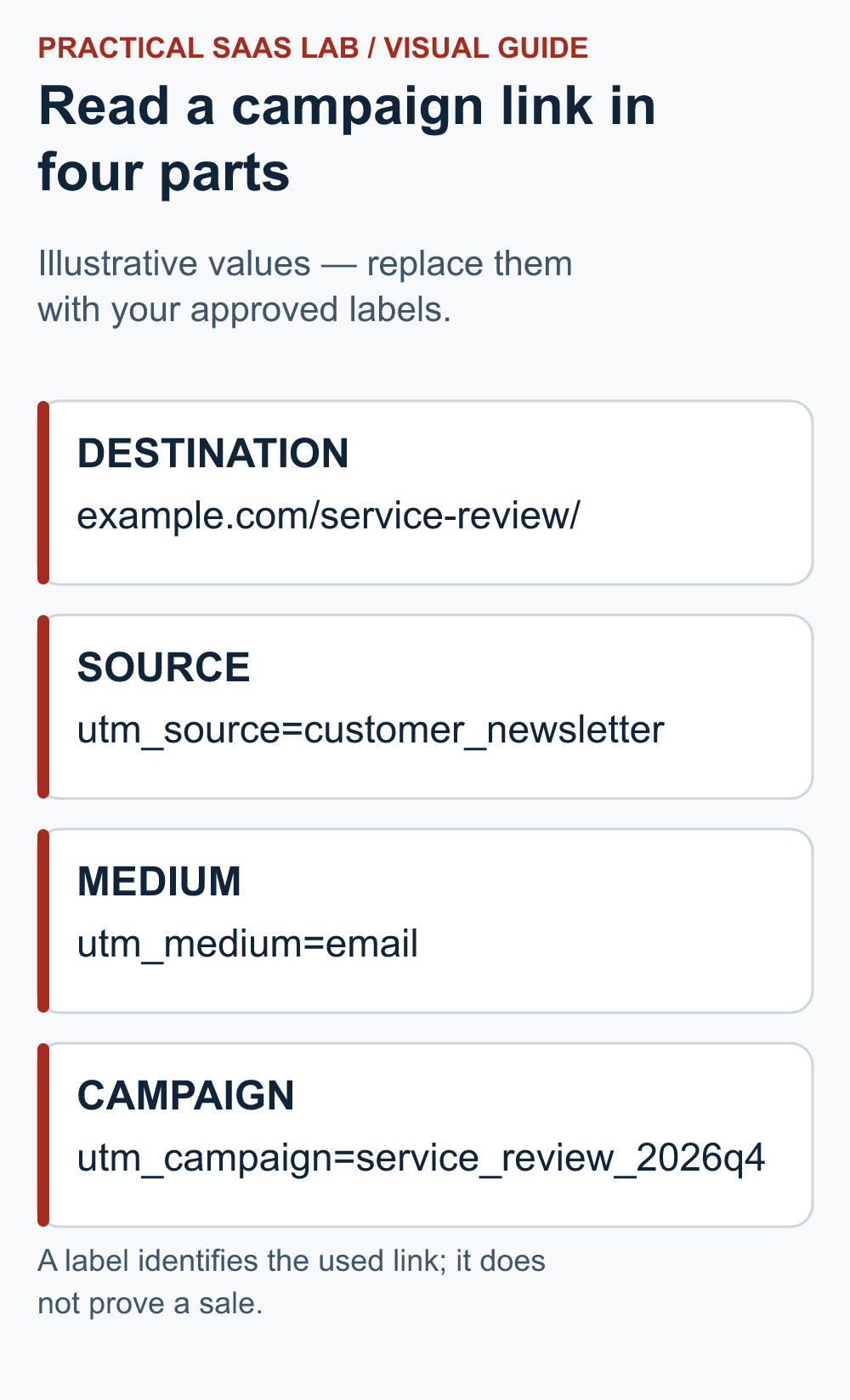
Illustrative link only: The reserved example domain below does not lead to your actual service. Replace the destination and labels with your approved values before use.
https://example.com/service-review/?utm_source=customer_newsletter&utm_medium=email&utm_campaign=service_review_2026q4&utm_content=main_buttonThe path identifies the page; the parameters identify the planned external placement. Keep the campaign constant for a second link within the same initiative, and change content only if you genuinely need to compare the main button with a text link. For a partner email, use an approved partner source rather than relabelling it as your own newsletter.
Use a URL builder or a carefully checked template, especially when a destination already has query parameters or a fragment. Do not add a second question mark blindly. The finished link should still open the correct page with its normal function intact. Avoid customer names, email addresses, account identifiers or other personal information in campaign values.
Test the link from the actual placement
- Open the exact URL that will be distributed, not a manually reconstructed substitute.
- Confirm the expected page and primary action load on the intended device sizes.
- Follow redirects and check that the destination retains the intended campaign parameters where the implementation requires them.
- Use an authorised test with the relevant consent state and measurement configuration; verify collection without bypassing a visitor’s choices.
- Confirm the intended campaign values appear in the appropriate analytics view when data is available.
- Record the test reference and time so test activity is not reported as customer demand.
A public page loading correctly and an analytics record appearing are separate checks. A consent choice or measurement restriction can leave the first working while limiting the second. If collection is missing, investigate the configuration and reporting delay rather than changing the label repeatedly and creating more ambiguity.
Worked report: three rows do not mean three campaigns
Invented report: One newsletter initiative appears under “service_review_2026q4” with 18 sessions and “Service_Review_2026Q4” with seven. A partner placement contributes 12 sessions under the intended lowercase name. The first issue is naming consistency, not a sudden discovery of an extra marketing channel.
Retain the raw labels and document a reporting-only grouping after confirming which links produced them. The newsletter total is 25 in this example; adding the partner placement gives 37 sessions across the described rows. Correct future links, but do not claim that a new naming rule retroactively rewrites stored data.
Now suppose the team received four enquiries during the period, but only two have an appropriately captured campaign connection. Report the two known connections and two unassigned enquiries separately. Do not allocate the unknown pair in proportion to sessions and present the result as observed attribution. The invented totals demonstrate a reconciliation method, not a conversion benchmark.
Avoid labels that answer the wrong question
Do not use external campaign tags merely to identify clicks between your own pages in this workflow. For an internal button-placement question, plan an appropriate event measurement instead. Keep the acquisition question and the on-site behaviour question separate so the next reviewer knows what each label represents.
A forwarded newsletter can carry the original tags to another reader. A copied URL can travel outside its planned placement. Interpret the label as evidence about the used link, with those limits, rather than as a verified personal history. Likewise, a click count from an email tool and an analytics session count are different measures; unequal totals are a reason to inspect definitions, not automatically a broken implementation.
Keep four CRM source facts separate
When a campaign link reaches a CRM, do not collapse every source fact into one field. Keep the earliest known discovery source, the latest known return source, the record-creation method and the raw campaign detail separate. A form can create the record after a person first arrived from email and later returned directly; all three events can be true.
Define which event updates each field and preserve unknown when evidence is missing. The CRM lead-source tracking guide includes a worked example, minimum fields and acceptance tests. Use those rules before comparing enquiries or wins by campaign.
A campaign link register you can copy
Initiative and business question:
Approved destination:
Source / medium / campaign / content values:
Placement and link owner:
Exact final URL and version date:
Destination test result:
Consent and analytics test scope:
Reporting period and metric definition:
Known enquiry connections and unknowns:
Naming corrections and next review:
Start with one campaign and a small set of approved links. Expand only after the labels reach the report consistently and somebody uses the review to make a decision. More tagged links do not create more insight by themselves; sometimes they just give the spreadsheet more ways to misspell the same thing.
Useful detail: Align dates before comparing X with your campaign report
X’s Post Activity Dashboard documentation says its CSV export uses UTC/GMT.
If that export is available to your account, keep its timezone beside the website report’s timezone. A late-evening post can land on different calendar dates; the date mismatch should not become an invented campaign success or failure.
Try this:
- Retain the raw exported timestamp and record UTC/GMT.
- Write down the website report’s timezone before choosing the comparison window.
- Compare the same interval while keeping platform engagements, website sessions and sales as separate measures.
Source: X: Post and Video Activity Dashboards. Checked October 3, 2026. The practical check is a PSL suggestion.
Sources and editorial basis
Technical definitions: Google Analytics campaign URL documentation. Naming dictionary, register and worked reconciliation are original editorial suggestions. Reviewed September 29, 2026. The workflow and examples are editorial proposals, not measured customer results.
Keep going: Check GA4 measurement · Define CRM outcomes
If these campaign links will be published through a social scheduling tool, use our Buffer vs Hootsuite guide. Carry the approved link register into the publishing and review process.