Quick answer: Define what must remain usable, export an authorised sample, and check values, relationships and the destination task. A downloaded file can be perfectly real and still be the wrong file for the job.
Jump to: Practical table · Checklist / record
For: small teams preparing an archive or a move between tools. This is an owner’s acceptance checklist, not a universal export or restore procedure.
Decision gate: Do not cancel while required data or operational dependencies remain unresolved.

- Decide what the export must let you do
- Test the contents, not the download notification
- Build a small sample that can reveal a problem
- Reconcile totals, then inspect meaning
- A worked example: every contact arrived, but the work did not
- Test a replacement with an isolated sample
- Do not confuse an export test with a restore test
- The export acceptance record
- Useful detail: Download the files, not just their temporary addresses
- Sources and editorial basis
Decide what the export must let you do
An export is useful only relative to a job. You might need a readable archive, records to import into a replacement tool, or evidence that a colleague can continue handling open work. Those are different tests. Start by writing the outcome in one sentence: “A replacement operator can find each open opportunity, its owner and its next action.”
List the record types that support that outcome. For a CRM, contacts alone may not tell the whole story; you may also need companies, opportunities, notes, activities or attachments. Treat this as an inventory to verify in the chosen product, not a promise that one export includes everything.
Test the contents, not the download notification
On a small screen, swipe the table sideways to see all columns.
| Check | What to compare | A useful pass condition |
|---|---|---|
| Scope | Selected records, filters and date range | The intended population is documented and explained. |
| Identity | Stable record IDs and duplicate candidates | You can distinguish records and match the sample back. |
| Values | Names, dates, amounts, blank fields and leading zeros | The sample keeps the meaning of the source values. |
| Relationships | Which contact belongs to which company or opportunity | The connections needed for the next task remain understandable. |
| Files and history | Attachments, notes and relevant activities | Required material is present or has a documented separate route. |
| Use outside the source | Open or import an authorised sample | The target task works without relying on the old screen. |
Product export routes differ. For example, HubSpot’s content and data export guide describes separate routes for different kinds of material. Use the documentation for the exact content and account you need. A contact export should not be treated as a complete account backup without evidence.
Build a small sample that can reveal a problem
Select ordinary and awkward cases. Where these exist in your workflow, include:
- A non-English name and a leading-zero identifier.
- A blank optional value and a date.
- A linked record and an attachment.
- An open item another person must act on.
Ten adjacent rows are easy to select, but they may all exercise the same simple path.
Use authorised data and an approved storage location. Do not upload a customer export to a convenient online converter without checking the destination and permission. A small fictional test set is often enough to understand a format before handling real records.
Keep the original downloaded file unchanged while inspecting a working copy. Record the source account, export time, selected filters and file names. This makes it possible to distinguish a problem in the export from a change introduced while opening or editing the file.
Reconcile totals, then inspect meaning
Compare the expected record count with the export count using the same filters. Explain exclusions such as archived records, a date cutoff or a selected view. If a count differs, locate the missing or extra cases rather than adjusting the total until it looks right.
A matching total is useful but insufficient. Two different sets can contain the same number of records. Match a sample using stable identifiers, then check important values and relationships. Keep blanks distinct from zeros, and check whether dates and amounts retain their intended meaning in the application used to open the file.
A worked example: every contact arrived, but the work did not
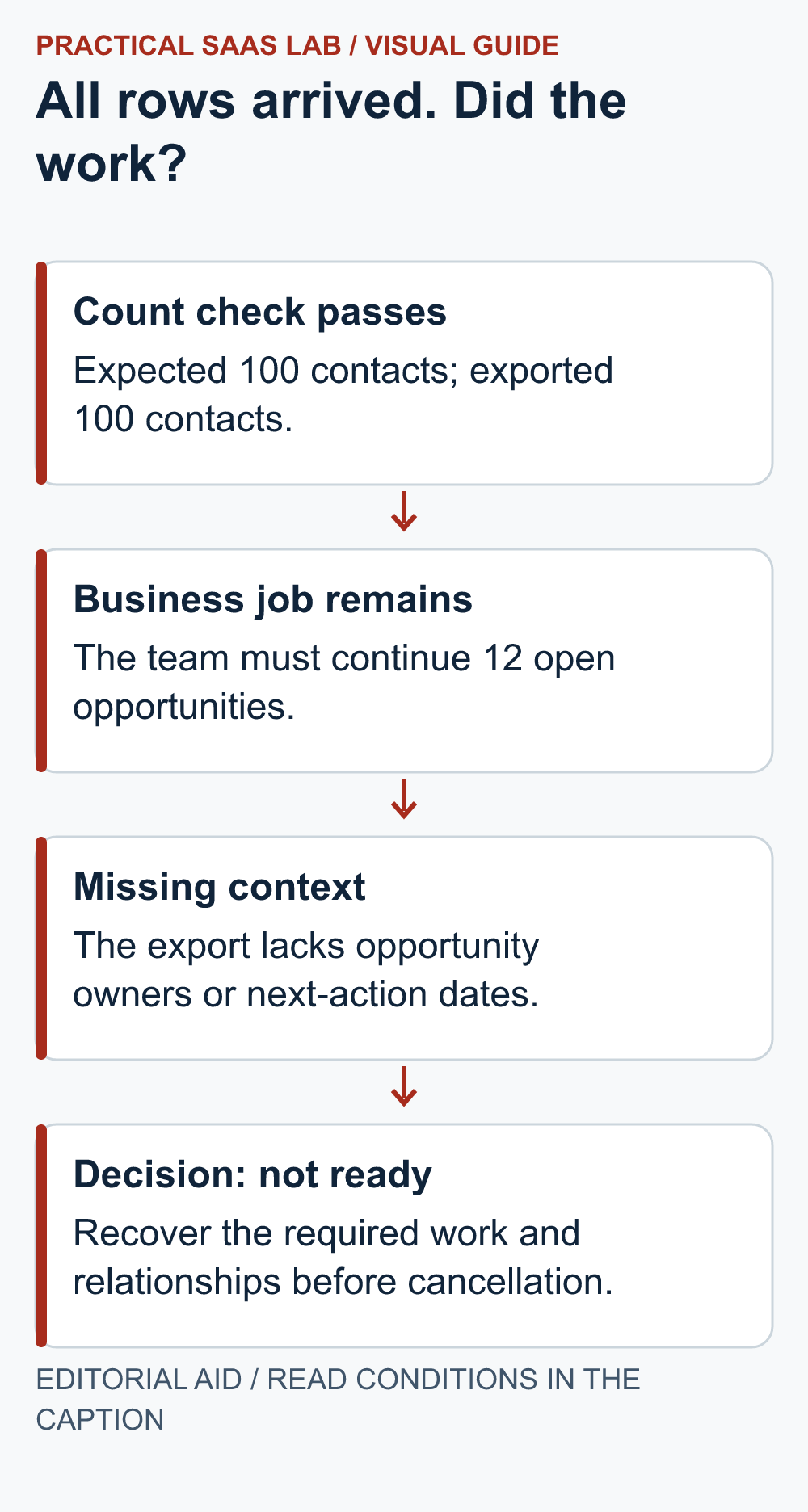
Illustrative case: a team expects 100 contacts and the file contains 100 contacts. The count check passes. Their next task, however, is to continue handling twelve open opportunities. The file does not include the opportunity owner or next-action date.
The export is not necessarily defective; it may be the wrong scope for the intended job. Record that the contact archive passed while the operational handover remains incomplete. Find the supported route for the missing records or plan an approved manual handover. Do not label the whole migration ready because the first spreadsheet opened.
Now ask a second operator to use the sample outside the source tool. Can they identify what happened, what happens next and who owns it? If they still need the old system for a required field, document that dependency before cancellation.
Test a replacement with an isolated sample
If the goal is migration, use an appropriate test destination and the importer’s supported process. Map each required source field to its intended destination field. Decide how existing records will be identified before importing anything. Keep production notifications and other side effects controlled through the authorised test setup.
Check the imported sample as a normal operator, not only as an administrator looking at a success message. Read a note, follow a relationship and locate the next action. Record manual repairs and whether they can be repeated for the full dataset at an acceptable cost.
Do not confuse an export test with a restore test
A readable export demonstrates something specific about those files. It does not prove that an entire account, website or automated workflow can be restored. If restoration is the objective, define and run a separate recovery test with the person responsible for that system.
Likewise, a sample test does not prove every record is correct. Use the sample to find structural problems, then apply the reconciliation and exception checks appropriate to the full move. Where important history cannot be recreated, decide how it will remain accessible and who owns that decision.
Exporting because you are leaving? A usable export is one exit gate. The SaaS cancellation checklist also covers live work, sign-in dependencies, effective dates and the final-bill check.
The export acceptance record
Purpose: archive, migration or operational handover:
Source account and authorised owner:
Export time, filters and record types:
Expected / exported counts and differences:
Sample IDs and value checks:
Required relationships and attachments:
Destination test and manual repairs:
Missing information or continuing dependency:
Approved storage and retention owner:
Decision before cancellation:
Stop the exit when a required record type is missing, relationships cannot be understood or the destination test has an unexplained result. Resolve that specific gap before changing access or billing. “Download complete” is the beginning of the check, not the end of the relationship.
Useful detail: Download the files, not just their temporary addresses
Airtable attachment download links in CSV exports expire, and Airtable recommends downloading the attachments before those links expire.
An export with filenames and URLs can look complete while depending on links that will stop working. Include the actual files in your acceptance sample.
Try this:
- Export a harmless record with one attachment.
- Download the attachment to the approved export destination.
- Check that the exported record still identifies the saved file when you are no longer relying on the temporary link.
Source: Airtable: attachment URL behavior. Checked October 3, 2026. The practical check is a PSL suggestion.
Sources and editorial basis
Product example: HubSpot content and data exports. The checklist is our proposed verification framework; export availability and scope must be checked for the actual product and account. Reviewed September 29, 2026. The workflow and examples are editorial proposals, not measured customer results.
Keep going: Plan a CRM migration · Audit subscriptions before cancelling