Quick answer: Use the FAQ to resolve specific remaining doubts. Answer directly, explain the condition and show the next step. If the answer says only “contact us,” you may have built a question collection rather than an FAQ.
Jump to: Practical table · Checklist / record
For: service business owners and writers improving a page before or after launch. Examples are hypothetical and should be replaced with the business’s actual process.
Decision gate: Do not publish a promise or condition that the service owner has not verified.
- Start with the questions people ask before deciding
- Put each answer in the right place
- Use a direct answer, then the condition, then the next step
- A worked rewrite: “How long does it take?”
- Turn vague reassurance into a practical boundary
- Keep the page scannable
- Run a reader test before publishing
- The FAQ review card
- Useful detail: Write the FAQ for the enquiry, not a retired search feature
- Sources and editorial basis
Start with the questions people ask before deciding
Collect questions from actual enquiries, calls and project discussions where you have permission to use them. Remove identifying details and keep the underlying concern. A question about timing may really ask whether the customer can meet a launch date. A question about revisions may ask how much uncertainty the quoted price includes.
Do not invent customer quotations to make the page feel researched. When you are starting without enquiry history, label your list internally as questions you expect buyers to have. Ask a colleague or a suitable reviewer to challenge it. The first draft is a hypothesis, not evidence of customer demand.
Put each answer in the right place
On a small screen, swipe the table sideways to see all columns.
| Reader question | Best starting location | What the answer should make clear |
|---|---|---|
| What do you actually do? | Main service explanation | Deliverable, audience and scope. |
| How much does it cost? | Pricing or scope section | Known price or what determines the estimate. |
| Do you cover my location or situation? | Visible fit criteria near the next step | Who is eligible and what needs a check. |
| What happens after I enquire? | Beside the contact or booking action | Next step, required information and a realistic expectation. |
| What if my project has this exception? | FAQ beside the relevant topic | The condition, boundary and route to clarification. |
An FAQ should resolve the remaining questions, not rescue an introduction that forgot to explain the service. If nearly every customer needs a fact to decide, give it a visible place in the main page. Important exclusions should not require detective work at the bottom.
Use a direct answer, then the condition, then the next step
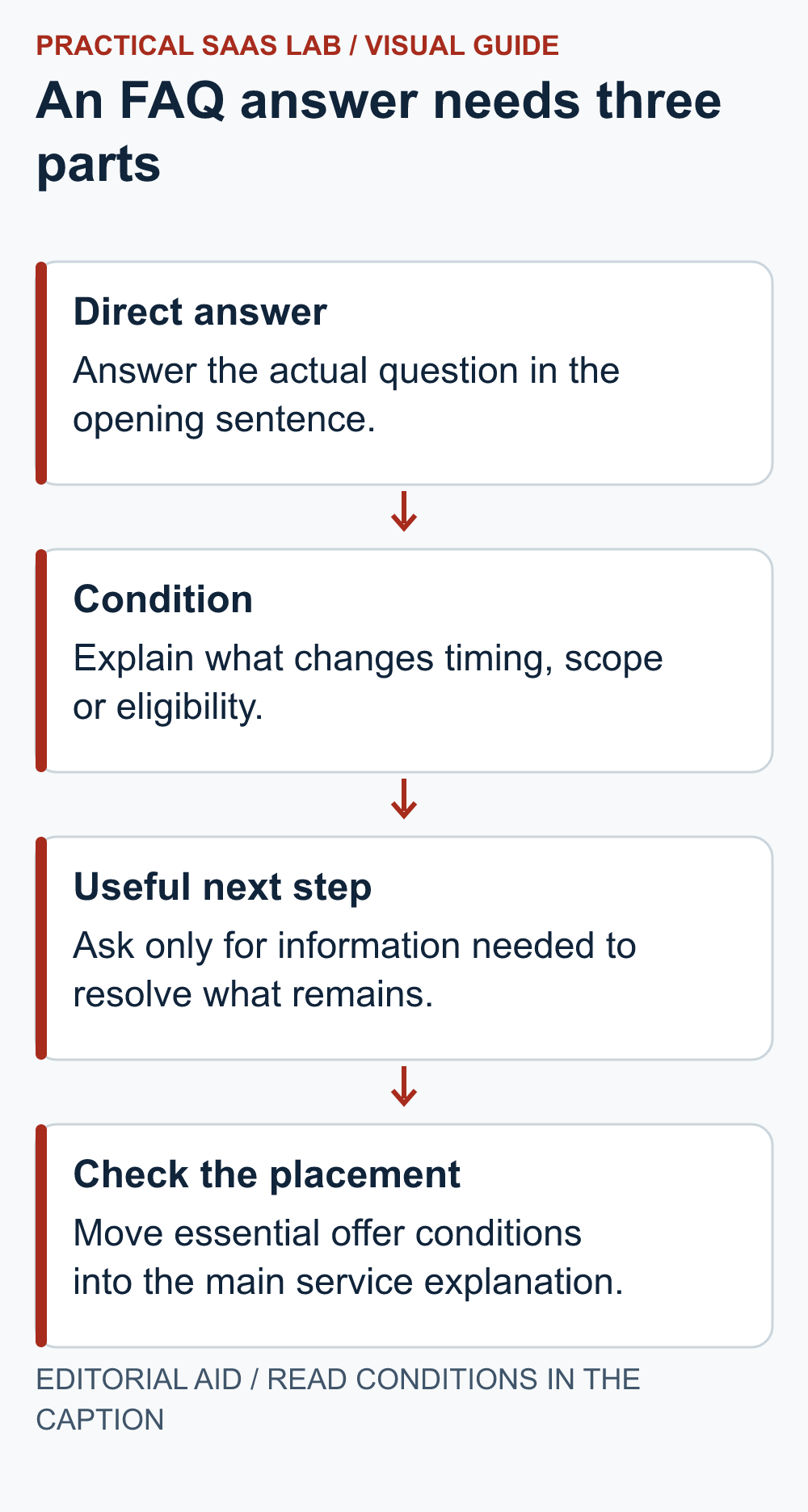
Start with the part the reader came for. Follow with the condition that changes the answer. Finish with an action only when one is useful. This keeps a friendly voice without turning each answer into a miniature sales pitch.
W3C’s web writing guidance recommends meaningful headings and clear, concise content. For an FAQ, a specific question makes a more useful heading than a vague label such as “More information.” The structure should still make sense when someone scans only the headings.
A worked rewrite: “How long does it take?”
Weak answer: “We provide efficient, high-quality solutions tailored to every client. Contact our friendly team to discuss your needs.” It sounds pleasant, but the timing question is still sitting there unanswered.
Illustrative rewrite: “We confirm the schedule after reviewing your page list and content. The estimate starts when the agreed copy, images and access are ready. Send your target launch date with your enquiry so we can check whether it is realistic.”
This example avoids inventing a delivery promise. A real business that has a reliable published lead time should state it, with the relevant conditions. Replace the sample with the actual process before publication; do not copy the wording if your project clock starts at a different point.
Turn vague reassurance into a practical boundary
Question: “Can I update the site myself?” A useful answer names the tasks the customer can perform, such as changing service text or adding a case study, then explains any training or supplier support needed. “Easy to use” does not tell the future operator what Tuesday morning will involve.
Question: “Are changes included?” Explain the agreed review stages and where a new request becomes extra scope, using your actual proposal. Do not place a new commercial condition in the FAQ that contradicts the quote or contract. The page should help the customer understand the same offer, not create a second version of it.
Question: “What should I send with my enquiry?” Ask only for information needed to route or assess the request. Explain unfamiliar terms and give an example where helpful. Do not ask a visitor for account credentials in a public contact form.
Keep the page scannable
Group questions by the decision they support: suitability, scope, timing and what happens next. Put the most useful group near the relevant part of the page. Remove repeated questions whose answers are essentially the same. There is no useful minimum number of FAQs to fill.
Visible questions with short answers are a straightforward starting point. If you use expandable sections, test them with your site’s actual controls, keyboard navigation and mobile layout. Keep essential information visible outside those sections when a visitor needs it before choosing the next step. Do not hide content merely because the page is getting long; first edit what repeats.
Use link text that says what the reader will find, such as “See the handover checklist,” instead of a row of identical “Learn more” links. Keep a linked detail page consistent with the short answer. A helpful link extends the answer; it should not replace the answer entirely.
Run a reader test before publishing
- Give a reviewer a realistic customer situation.
- Ask them to find whether the service fits, what remains uncertain and what they should do next.
- Let them use the page without coaching.
- Record where they pause, misinterpret a condition or cannot find an answer.
- Revise the specific passage and try the task again.
Avoid asking only “Does this look good?” That invites a compliment. Ask the reviewer to explain the next step in their own words. If their understanding differs from the actual service, the copy still needs work.
After publication, keep a simple log of repeated unanswered questions. Use it to improve the relevant answer or main section. Do not claim that the FAQ increased conversions from a few enquiries; the immediate evidence may simply be that a recurring misunderstanding has become easier to address.
The FAQ review card
Question and reader concern:
Source: actual enquiries or planning hypothesis:
Direct answer:
Condition or exception:
Next step, if needed:
Correct page location:
Business owner who verified the answer:
Reader-test confusion and revision:
Review trigger when the service changes:
Give someone responsibility for updating answers when pricing, scope or availability changes. A once-helpful FAQ can become a very confident source of yesterday’s information. Keep it tied to the real service, and let each answer earn its place.
Useful detail: Write the FAQ for the enquiry, not a retired search feature
Google’s documentation updates state that FAQ rich results stopped appearing in Search from May 7, 2026.
Keep useful questions and answers on the service page, but judge them by whether they remove a customer’s uncertainty. Do not commission extra FAQ markup on the assumption that it will create that retired display.
Try this:
- Choose one question that delays an enquiry.
- Give a direct answer, a boundary and the next step.
- Ask a reader to find the answer; measure that task separately from any later search-performance change.
Source: Google Search Central: documentation updates. Checked October 3, 2026. The practical check is a PSL suggestion.
Sources and editorial basis
Writing principles: W3C Writing for Web Accessibility. FAQ structure, sample answers and review process are editorial suggestions, not measured conversion results. Reviewed September 29, 2026. The workflow and examples are editorial proposals, not measured customer results.
Keep going: Write the service-page brief · Choose the next contact step