Quick answer: A lower subscription bill is not enough reason to leave Webflow. The replacement needs to solve a real editing, ownership or cost problem after you include the rebuild. Build and validation time can outweigh a small monthly saving.
Start here: Check whether a move pays back. The worked example shows why a lower monthly bill can still cost more over three years.
Disclosure and evidence: These recommendations use current official documentation and a proposed decision exercise. We have edited this site’s WordPress installation, but have not run a hands-on Webflow, Wix or Hostinger comparison or measured their performance.
Your site works and no clear workflow or total-cost gain is established.
Review unused complexity and the plan required for the actual site.
Prototype the hardest page and enquiry route before moving the domain.

- Start with the constraint, not a brand list
- WordPress: more control, an operating owner
- Wix: managed editing, limited host portability
- Hostinger: distinguish the builder from WordPress hosting
- When staying on Webflow is the better alternative
- A break-even rule for an existing site
- Rehearse the hardest page and the lead route
- Useful detail: Check the replacement platform’s export boundary too
- FAQ
Start with the constraint, not a brand list
Write down what prompted the search: monthly cost, who can edit, a CMS limit, a form or integration, or future portability. If the CMS requirement is uncertain, our static pages vs Webflow Collections guide gives a content-inventory test before you budget a migration.
If the only issue is cost, check whether the current Webflow Site and Workspace plans fit the real site before budgeting a move. Webflow’s 2026 change combines the former CMS and Business Site plans into Premium for new purchases, while some existing accounts have a different transition schedule. Basic is intended for sites without CMS or Ecommerce features. Check the live account offer, country, billing cycle and renewal terms before comparing.
On a small screen, swipe the table sideways to see all columns.
| Constraint | Route to test | Trade-off to budget | Stop if… |
|---|---|---|---|
| Host and plugin choice | Self-hosted WordPress.org | Updates, backups, security, plugin support and a capable owner | Nobody can maintain it |
| Managed template-led edits | Wix | Plan limits and a rebuild if leaving its hosting | External hosting is a requirement |
| Managed launch with a budget test | Hostinger Website Builder | Renewal term and incomplete transfer of design and functions | Portability of forms or store is critical |
| Only excessive Webflow complexity or cost | Recheck Webflow Basic or Premium | Basic cannot replace a CMS workflow | CMS, ecommerce or team permissions are required beyond the selected tier |
WordPress: more control, an operating owner
WordPress.org software is open source and can be installed on hosting you choose. That gives a capable team room to choose plugins, hosting and its maintenance process. It does not make the running site free: count hosting, domain, paid extensions, backups, updates and support. On Practical SaaS Lab, we actually had to adjust wide comparison tables and mobile CSS in WordPress. That is a concrete example of operational ownership, not proof that WordPress is faster or cheaper than Webflow for another business.
Choose this route when you can name the person handling updates and backups, test an enquiry form, and restore a failed change. If the handoff is just “here’s your password, good luck,” the job isn’t finished. Without training or time for maintenance, a managed builder may mean less work even if its subscription costs more.
Wix: managed editing, limited host portability
Wix is worth a short prototype for a small service site whose owner wants a hosted editing flow. Build one actual service page and test an update with the person who will maintain it. Wix says a site built on its system cannot be hosted on another provider’s infrastructure. The domain can be managed or moved separately; that is different from exporting the working Wix site to another host. Check the plan and checkout for custom domain, forms, storage and any other feature you need.
Hostinger: distinguish the builder from WordPress hosting
Hostinger Website Builder and WordPress installed on Hostinger hosting are different workflows. Decide which one you are pricing. Hostinger’s current export guide applies to Hostinger AI Builder in manual mode. It supports moving regular pages, text, images and files to WordPress, but not site styles and layout, online store, integrations, forms, collected submissions or SEO settings. Confirm which builder mode your site uses before relying on this route.
A content export is not a working-site migration. Check the introductory term, renewal charge and all required features in the current checkout; we do not use a fixed promotional rate as a three-year cost.
When staying on Webflow is the better alternative
For an existing Webflow site, switching only makes sense if the new workflow or three-year cost beats the rebuild. Webflow code export requires a paid Workspace; a paid Site plan alone does not provide it. Exported HTML, CSS, JavaScript and assets do not include working CMS, ecommerce, user accounts or localized dynamic content. Forms on an externally hosted export need another submission route. CMS Collections can be exported separately as CSV, which helps retain data but does not rebuild the publishing workflow. Check these limits before treating export as a one-click exit.
A break-even rule for an existing site
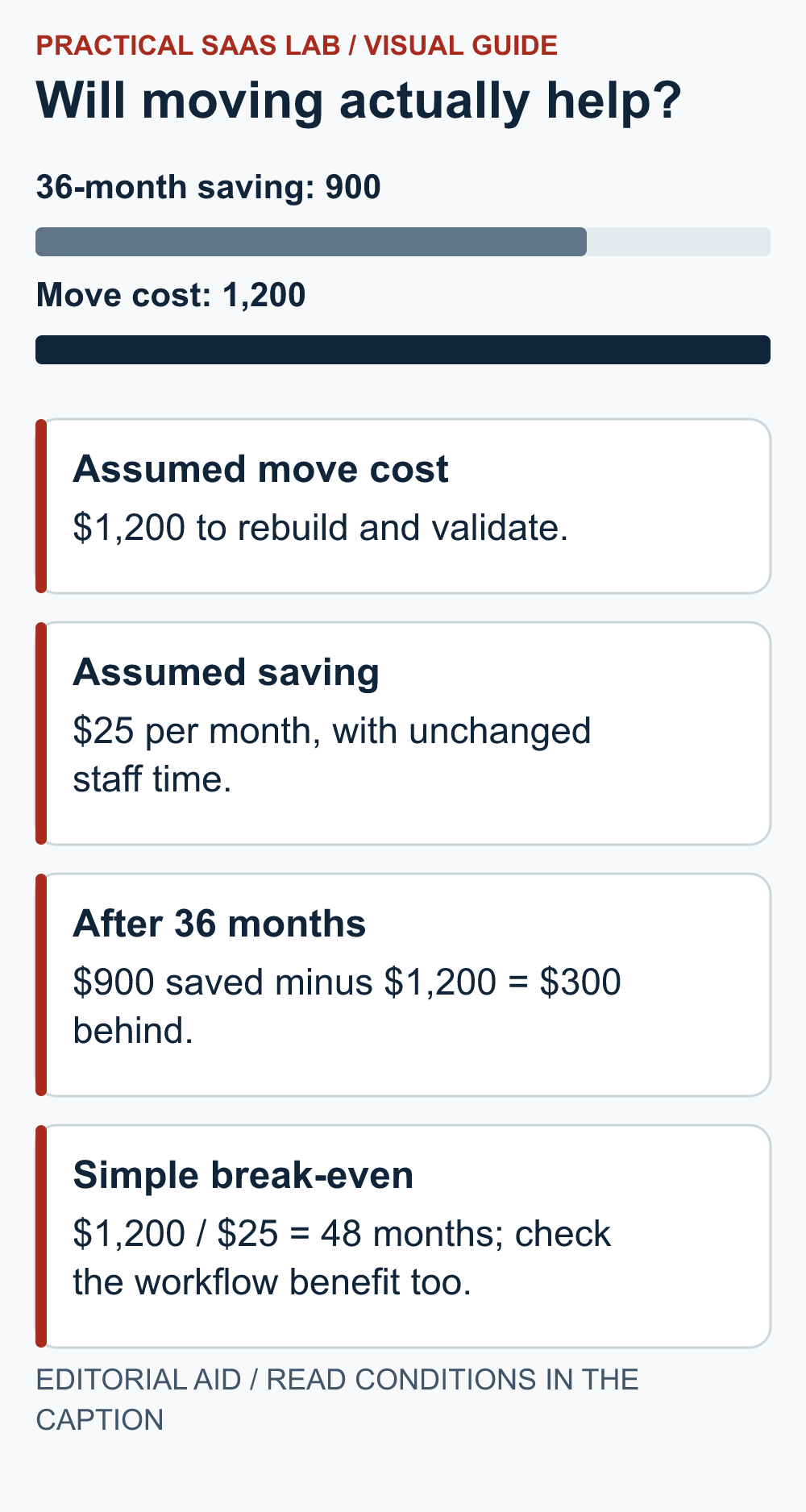
Compare three-year total = setup or migration + 36 months of subscriptions and add-ons + 36 months of routine staff work + expected support work. Use the same scope and your own hourly cost on both sides. Suppose a move costs an estimated $1,200 in build and validation time and saves an assumed $25 per month in subscriptions, with no change in staff hours.
The subscription saving is $900 over 36 months ($25 × 36), leaving the move $300 behind before migration risk. It would take 48 months to recover $1,200 at $25 monthly, if those assumptions hold. These are illustrative numbers, not vendor quotes or measured results. If the new editor saves staff time, add that separately and test it with a real task.
Practical rule: stay if the current form works, the owner can update content and the alternative has no documented total-cost or workflow gain. Test a replacement if a necessary function cannot be met, the editor is blocked, or a validated cost model clears migration and maintenance work. Do not move the domain until the replacement passes the checks below.
Rehearse the hardest page and the lead route
Example to test, not a migration we performed: a service business has five static pages, twelve CMS case studies, a lead form and two editors. Build one representative case study and its category page on the candidate platform. Have both editors update it. Submit a phone enquiry and verify delivery to the intended inbox. Inventory every existing URL, media right, title, redirect, integration, form record and CMS field. Repeat with the selected paid plan if the free tier cannot support the required scenario. A visually matching home page alone does not validate a lead funnel.
For the original choice, see our builder decision guide and Webflow vs WordPress comparison.
Useful detail: Check the replacement platform’s export boundary too
WordPress WXR content exports exclude site configuration options and the attachment files themselves.
A Webflow alternative needs an exit check of its own. If WordPress is on the shortlist, distinguish a content-transfer XML file from the complete package the next operator needs to maintain or recover the site.
Try this:
- Ask for one sample content export and its referenced image.
- Identify where the image files and configuration are delivered separately.
- Put those transfer and rebuild tasks into the alternative’s handover estimate before deciding it solves your portability problem.
Source: WordPress: WXR export limitations. Checked October 3, 2026. The practical check is a PSL suggestion.
FAQ
Is WordPress always cheaper?
No. Software licensing and total operation are different costs. Compare hosting, extensions, staff work and support over the same period.
Can I export Webflow and run the same site elsewhere?
A paid Workspace can export static code, but CMS and forms need separate handling. Rehearse one dynamic page and one enquiry before migrating.
Is Hostinger Website Builder the same as WordPress hosting?
No. They are distinct products and workflows. Price and portability checks must match the route you would actually use.
Primary sources: Webflow 2026 plan change; Webflow Site plans; Webflow code export; WordPress.org; Wix external hosting; Hostinger AI Builder manual-mode export. Checked September 27, 2026; recheck account-specific plans, prices, tax and renewal terms before buying.