Quick answer: Check the exact URL, read the reported indexing reason, and separate sitemap delivery from page indexing and search visibility. Use Request Indexing only after a relevant issue is fixed or a new public page is ready.
Jump to: Practical table · Checklist / record
For: owners investigating a published business page that seems absent from Google. This is a diagnostic workflow, not a ranking guarantee or a promise of indexing time.
Decision gate: A successful sitemap or live test is not proof that the page is indexed.

- Start with one exact URL
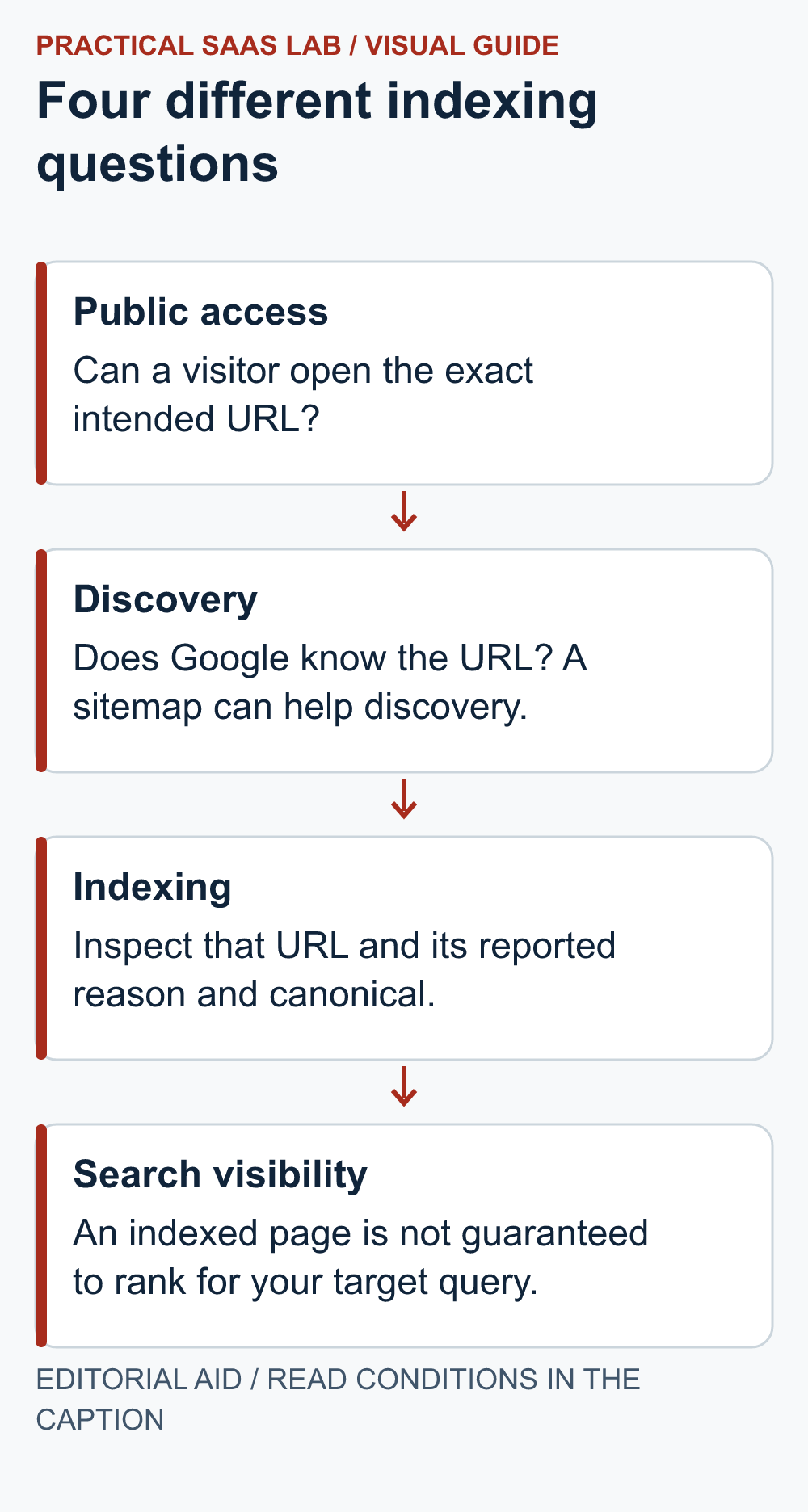
- Separate the questions
- Read the reason before choosing the fix
- Read sitemap success narrowly
- A worked example: the sitemap is fine, the article needs a closer look
- Review usefulness before adding more pages
- Make one justified change and keep a dated record
- The indexing investigation record
- Useful detail: Read the test date before the verdict
- Sources and editorial basis
Start with one exact URL
Copy the public address you expect visitors to use. Check that it is the published page, not an editor preview, an old slug or a similar address on another domain. Record when the page was published or last materially changed. A screenshot of the homepage cannot answer whether a particular article is indexed.
Open the public page and confirm that it shows the intended content without a login. If it is missing, redirects unexpectedly or displays an error, fix that delivery problem first. Keep a note of the final address after any redirect. Record the final URL and error before changing settings.
Separate the questions
On a small screen, swipe the table sideways to see all columns.
| Question | Where to look | Do not conclude |
|---|---|---|
| Can a visitor open this page? | The exact public URL | That Google has indexed it. |
| Can Google currently access it? | URL Inspection live test and its details | That a successful live test guarantees indexing. |
| What does Google know about this URL? | The indexed inspection result | That it reflects every recent edit immediately. |
| Was the sitemap read? | Sitemaps report and last-read status | That every listed URL is indexed. |
| Is it earning visibility? | Performance data for the relevant page and period | That zero clicks alone proves an indexing failure. |
Google’s URL Inspection documentation distinguishes the indexed result from a live test. A successful live test does not guarantee inclusion in the index. Requesting indexing also does not guarantee that the page will appear. Treat these as separate pieces of evidence, not steps in a guaranteed publishing timer.
Read the reason before choosing the fix
Inspect the exact URL in the appropriate Search Console property. Record these details before choosing a fix:
- The stated reason if the page is not indexed.
- The relevant expanded details and last crawl information, where available.
- The intended canonical and the URL Google selected, where available.
A canonical is the preferred representative among similar URLs. If Google selects another page, compare their content and signals. Keep the selection when it represents an intentional duplicate; investigate when it hides a distinct service page.
For a technical issue, give the maintainer the exact URL, reported reason, date and expected behaviour. For example: “This public service page is unexpectedly marked noindex.”
Do not remove intentional restrictions from private, duplicate or non-public pages simply to reduce the number of excluded URLs. The goal is for the right pages to be available, not for every address generated by the system to appear in search.
Read sitemap success narrowly
Google’s Sitemaps report guide says Success means the sitemap was fetched and read without errors. Discovered-page counts are not a guarantee that those URLs have been crawled or indexed. Record the sitemap’s last-read information alongside individual-page evidence.
For your working notes, keep published article count, sitemap-discovered URL count and indexed-page count on separate lines. They can differ for legitimate reasons. A sitemap may include other page types; the reports can also describe different moments in time. Do not subtract unlike totals and call the remainder “broken articles.”
A worked example: the sitemap is fine, the article needs a closer look
Illustrative situation: a site publishes a new guide and the sitemap report shows Success. The owner cannot find the guide for a broad search phrase. That alone does not establish why it is missing. The next useful step is inspecting the exact URL, not submitting the same sitemap repeatedly.
Suppose inspection identifies a different canonical URL. Review whether the new guide repeats another page’s purpose or whether the technical signals point to the wrong destination. If the duplicate is intentional, the selected representative may be appropriate. If it is not, ask the maintainer to review the conflicting signals and the editorial overlap.
Alternatively, suppose the page is indexed but has no clicks. Move to a visibility and usefulness review: what query should it answer, how specific is the page, and what does the available performance data show? An indexing request is not a substitute for answering a question people actually have.
Review usefulness before adding more pages
Ask whether the guide resolves a distinct decision. Compare it with your own closest article. Can a reader tell why both should exist? Add missing examples, a concrete process or decision criteria when they help. Do not expand word count merely to make the page look substantial.
Keep the title aligned with the content and make the page reachable from a relevant existing article or category. Use descriptive link text. If two articles serve essentially the same purpose, evaluate a deliberate consolidation with a URL plan rather than publishing a third variation.
If the page lacks a useful route from related content, follow the internal linking checklist. Improving that route addresses navigation; it does not guarantee indexing.
Make one justified change and keep a dated record
After one justified fix, use the appropriate inspection workflow and record when you requested a recheck. Set an internal review date. If the report has not changed then, compare the same URL and reason before making another edit.
Escalate when a technical block persists, an important page points to an unexpected destination, or the public page differs from what you intended to publish. If the evidence is still incomplete, record that uncertainty and the next check. Do not invent an indexing deadline or claim success from a submitted request.
The indexing investigation record
Exact public URL and final destination:
Expected page purpose:
Publication or material-change date:
Indexed inspection status and reason:
Live-test result, if relevant:
Declared and selected canonical, if shown:
Sitemap status and last read:
Specific change, owner and evidence:
Request or follow-up performed:
Review date and unresolved question:
Useful detail: Read the test date before the verdict
Search Console’s indexed inspection and live test answer different questions; a successful live test does not establish indexing.
Put the last-crawl time and live-test time in separate fields. A fix can be visible to the current tester while the stored indexed view still reflects the older page.
Try this:
- Inspect the exact intended URL.
- Record which view produced the verdict and its available time information.
- After a justified fix, compare the live result with the older indexed evidence instead of calling the discrepancy a new failure.
Source: Google Search Console: URL Inspection. Checked October 3, 2026. The practical check is a PSL suggestion.
Sources and editorial basis
Report definitions: Google URL Inspection and Sitemaps report. The diagnostic sequence is our suggested owner workflow. Reviewed September 29, 2026. The workflow and examples are editorial proposals, not measured customer results.
Keep going: Run a weekly Search Console review · Decide whether to update or merge content