Quick answer: Try a Webflow prototype if a designer or trained editor will handle ongoing changes. Ask that person to update a service page, publish a case study and test a contact form before choosing a plan. The site can look impressive in a demo. You still need to know whether changing one sentence will require calling the designer.
Start here: Run the small prototype test. Use the checks below to decide whether a polished design will also be manageable after launch.
Disclosure and evidence: This is an evaluation of current official documentation, not a hands-on Webflow review. We have edited this site’s self-hosted WordPress installation, but have not built or operated a Webflow client site or measured Webflow performance.
Can the future owner change a service detail and navigation?
Does a phone enquiry reach the right person?
Do editing time, plan costs and the exit path fit the business?

Who Webflow fits, and who should wait
Consider Webflow if a named designer or trained editor will update service pages, case studies and landing pages, and the team values a hosted design workflow. A structured CMS can help when a repeated content type has a clear owner and publishing process. Confirm the current Site plan and any Workspace features needed for the people doing that work. For a focused decision on whether your service site needs a CMS, see our static pages vs Webflow Collections guide.
Consider another route if the site is a few stable pages with no design owner, your team already operates WordPress well, or host and plugin choice is a requirement. A service business that needs complex integrations or expects a move to another platform should test those workflows before committing. Neither product is automatically better for SEO, speed or conversions; we have no comparable measurements for this site.
A decision table for a service business
On a small screen, swipe the table sideways to see all columns.
| Question | Webflow is worth testing when… | Pause or compare another route when… |
|---|---|---|
| Who updates the site? | A trained owner can make monthly page and CMS changes | The launch designer leaves and nobody owns edits |
| What content repeats? | Case studies or articles need a consistent content model | Only a few static pages are likely |
| What must connect? | The team can test forms and required integrations | Lead routing or data ownership is still undefined |
| What costs recur? | Site, Workspace if needed, add-ons and editing time fit the budget | Only the advertised Site price has been counted |
| What happens on exit? | Rebuilding CMS and forms elsewhere is acceptable | The team assumes code export moves a working site intact |
Plans and the real operating cost
Webflow’s free Starter option can be used for a limited prototype on a Webflow subdomain. A custom domain requires an eligible paid Site plan. The current Basic Site plan is aimed at sites without CMS content; Premium is the relevant Site plan to check for repeated articles or case studies. Site and Workspace plans serve different purposes, so a paid Site plan does not necessarily cover a paid Workspace feature your team needs.
Ecommerce and add-ons can also change the bill. See the official Site plan guide and current pricing.
Webflow’s 2026 changes combined the former CMS and Business Site plans into Premium for new purchases, while some existing accounts move on a different schedule. Do not use an old CMS or Business quote as a new customer’s current offer. Confirm the displayed country, currency, billing cycle, taxes, feature limits and renewal terms for your account before paying. The official transition notice explains the phased dates.
Compare the same work for each platform: three-year cost = setup + 36 months of subscriptions, hosting and add-ons + editing and upkeep hours × your actual hourly cost + any planned migration work. For example, if two options both require two editing hours monthly but one also needs one additional upkeep hour at an assumed $40 per hour, that assumption alone adds $1,440 over 36 months. This is an illustrative labor calculation, not a vendor quote or measured product result; it could reverse if your real workflow differs.
A small test before a long commitment
A test for you to run—not one we completed: ask the future site owner to make a short service page, one permitted case study and a contact route. Then change a service detail, replace a testimonial with permission, update the navigation and send an enquiry from a phone. Record the time, help needed and where the message arrives. If Starter cannot support the whole test, make a smaller prototype and check the exact paid tier you’d need. A successful prototype is useful evidence about the workflow, not proof of production performance.
A practical purchase rule is to proceed only when the actual maintainer can repeat the changes, the form reaches the right inbox, and the three-year worksheet still fits the budget. If an outside developer is needed for every routine update, include that ongoing cost. For a broader shortlist, read our website builder decision guide and Webflow vs WordPress comparison.
Give the prototype a pass condition
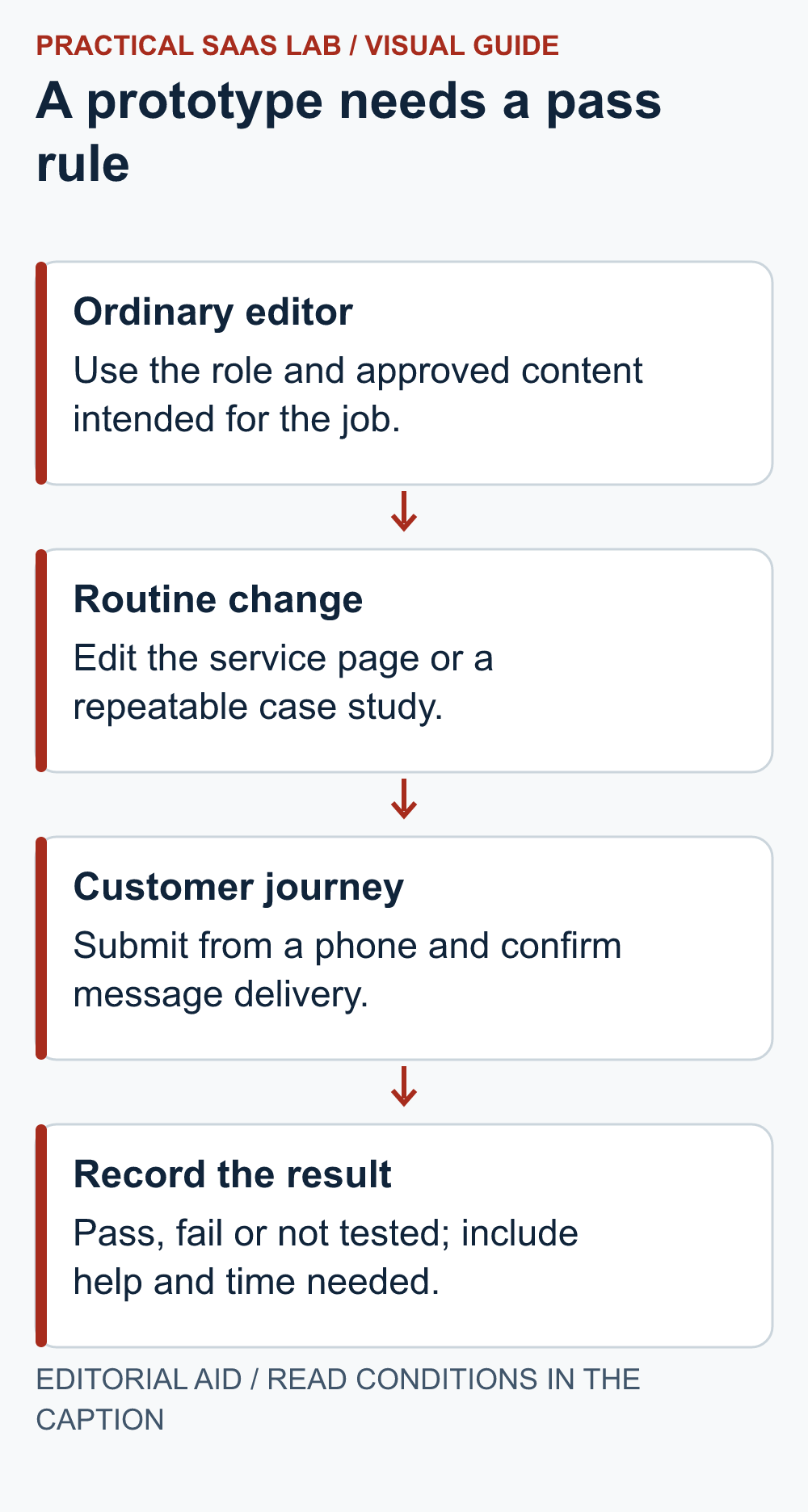
Suggested test record, not a completed Webflow test: Choose one ordinary editor and a backup. Give them approved sample content and the access intended for their role. Record the result as pass, fail or not tested; a polished designer demonstration cannot fill in the editor’s row.
- Routine edit: Change a service description and replace an image. Pass when the editor can preview the intended result and the agreed publishing owner can publish it without unintended layout changes.
- Repeated content: If a CMS is required, create a sample entry with one optional field empty. Pass when the page remains understandable and does not display an empty label or misleading claim.
- Customer handoff: Submit a controlled test enquiry. Pass when the named recipient can locate the correct message and explain who responds. A success message alone is incomplete evidence.
- Backup operator: Have the backup find the entry and make a correction using the documented route. Record any step that still requires the original designer.
Example decision: If editing passes but enquiry delivery remains unverified, record “prototype usable; launch blocked on delivery test”. If the owner needs a developer for every routine change, revisit the operating arrangement or alternative platform before committing. Confirm plan and permission availability for each test in the actual account; this checklist does not assert that every plan supports the same workflow.
Check the exit path before payment
List the assets your business must retain: domain access, copy, media rights, case studies, form records and CMS data. Webflow’s code export guide says a paid Workspace is needed to export site code; a paid Site plan by itself does not grant that feature. The exported code does not transfer working CMS functionality, and forms need another submission route when hosted elsewhere.
Plan to export content separately and rebuild or test dynamic features on the destination. This is a documented constraint, not a migration we performed.
Next step: If the prototype fails a routine edit or enquiry test, use our Webflow alternatives guide to compare other routes by the constraint that matters most: routine editing, maintenance, selling online or a simpler site.
Useful detail: Test the operator’s role, not the designer’s account
Webflow’s site roles grant different access, so the person demonstrating a site may have capabilities the future content operator lacks.
For the monthly-edit rehearsal, use the role you actually intend to buy and grant. Keep plan availability and any proposed access change visible in the decision record.
Try this:
- Give the proposed operator a harmless content-editing task.
- Test editing, publishing and the relevant CMS access under the intended role.
- Record any administrator intervention so it appears in the workload comparison rather than disappearing from the demo.
Source: Webflow: site roles and permissions. Checked October 3, 2026. The practical check is a PSL suggestion.
FAQ
Can I use a custom business domain on the free option?
Check the current Site plan guide: a paid Site plan is required for a custom domain. The free option is useful for an appropriately limited prototype.
Does Basic cover a CMS-driven blog or case studies?
Basic is intended for sites without CMS content. Check Premium’s current content limits and the checkout terms for your account before choosing a plan.
Did Practical SaaS Lab test Webflow for this article?
No. Our recommendation is based on cited official documentation and an explicit decision exercise. Our firsthand site editing examples come from WordPress, not Webflow.
Primary sources: Webflow Site plans; 2026 plan transition; code export; form submissions. Information checked September 26, 2026; recheck official plan and regional terms before purchase.