Quick answer: Compare complete, like-for-like periods, inspect the pages and queries behind a change, and finish with one justified action or a recorded decision to wait. A chart moving up is encouraging. It is not automatically a sales report.
Jump to: Practical table · Checklist / record
For: owners of new or low-traffic business websites. This is a proposed weekly review routine using Google’s published report definitions. Examples are invented to explain interpretation, not Practical SaaS Lab performance claims.
Check before moving on: Visibility ≠ clicks ≠ enquiries. Keep the metric attached to the question.

- Start with a reproducible view
- Keep each metric attached to its question
- A practical weekly sequence
- A small-sample example that keeps you honest
- Use a diagnosis ladder
- Prioritise issues you can explain
- A review record you can reuse
- Useful detail: Anchor a brand filter when you mean the whole query
- Sources and review date
- Choose the next check from the evidence
Start with a reproducible view
Record the property, search type, date range and any filters before reading the result. Keep country, device, query and page filters consistent when comparing periods. A filtered mobile page report and an unfiltered property chart answer different questions.
Before comparing periods, check the report’s last update. Google documents that recent data can be preliminary and may change.
- Complete data: use it for a like-for-like comparison.
- An incomplete latest day: leave it out of the completed-period comparison or label it separately.
- Missing or unprocessed data: mark it as unknown, not zero.
A weekly check need not use only seven days of data. A low-volume site may need a longer window to see a pattern. Compare two equally long, complete date ranges under the same property, search type and filters; exclude a partial latest day from both. Note weekday and seasonal differences and write both exact ranges into the record. With a handful of clicks or impressions, a percentage or average position can move sharply without a reliable trend.
Keep each metric attached to its question
On a small screen, swipe the table sideways to see all columns.
| Metric or view | Question it helps answer | What it does not establish |
|---|---|---|
| Impressions | Is the site appearing for relevant searches? | Visits, enquiries or purchases. |
| Clicks | Are people entering from these search results? | What they did after arriving. |
| CTR | What share of counted impressions produced clicks? | A universal quality score independent of query and position. |
| Average position | How did reported search placement vary? | A fixed rank every visitor sees. |
| Page and query rows | Which topics and pages contribute to the pattern? | A guaranteed complete explanation of all traffic. |
| Indexing checks | Can the intended page be discovered and indexed? | That it will rank or produce demand. |
Read the chart total as the property view. A Pages row is a URL view; click that row to filter to the page, then inspect its Queries tab to see visible searches for that page. A site-wide Queries table is not evidence that a particular page earned a phrase. Google groups and filters these views differently, and anonymized queries are omitted from query rows while they may remain in unfiltered chart totals. Other row limits can also hide data. Do not sum visible query rows and label the result the complete site or page total. Record the property, page URL, view, filters and date range with each number.
A practical weekly sequence
- Check the view: confirm the right property, dates and filters.
- Record the headline: clicks and impressions, with counts and the period, before percentages.
- Find the contribution: compare pages and queries responsible for the change.
- Inspect the page: check whether the page still answers the relevant intent and its main action works.
- Separate technical issues: use the relevant indexing or URL inspection view for a suspected discovery problem.
- Choose the response: repair a verified defect, investigate a pattern, or wait for more evidence.
- Log the change: record the reason, owner, date and future comparison period.
The routine’s time budget should fit the site. Do not spend the whole morning slicing five impressions into twelve segments. Save deeper analysis for a material problem or a pattern with enough evidence to justify it.
A small-sample example that keeps you honest
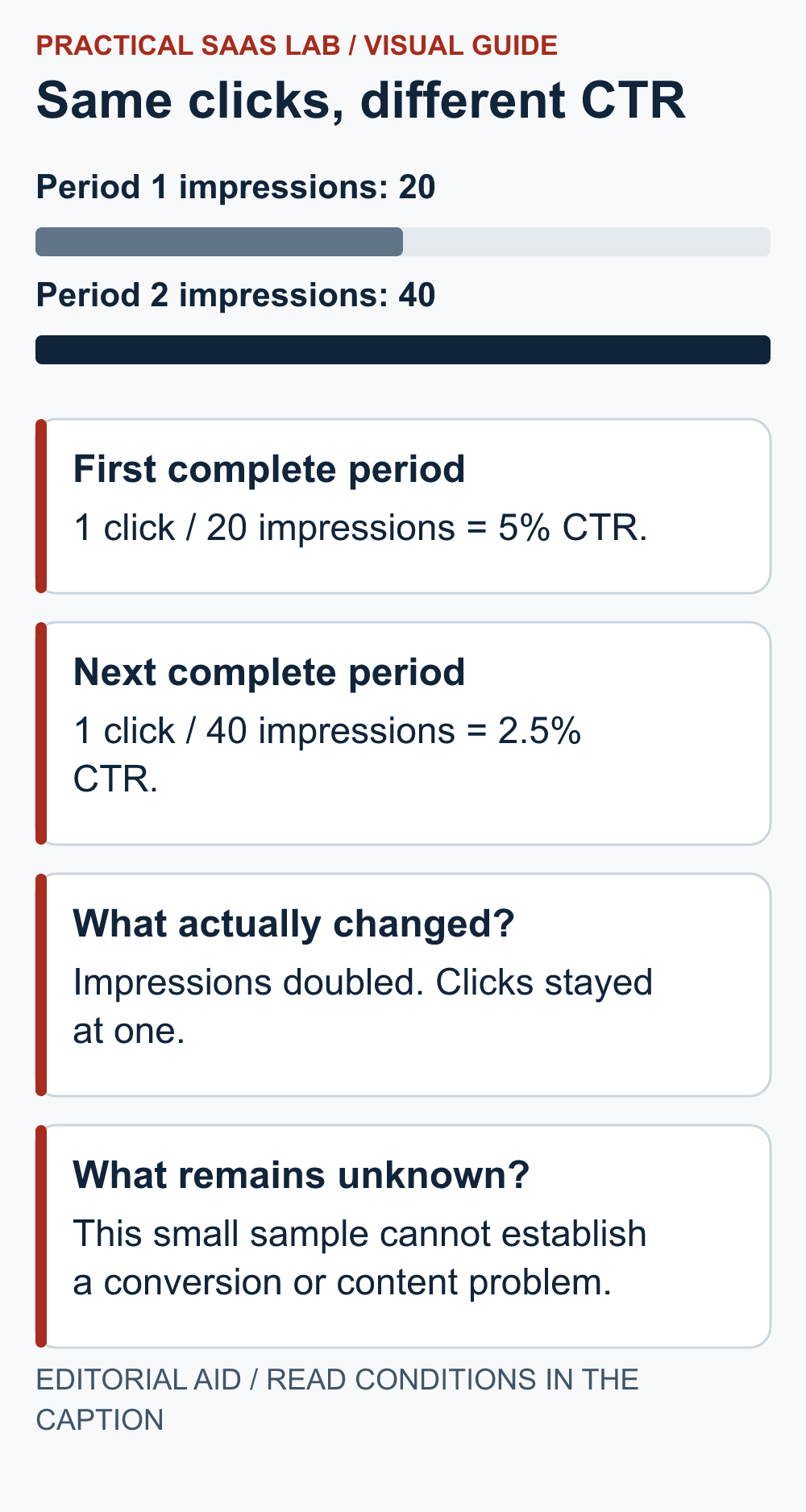
Illustrative data: the first complete period has 20 impressions and one click; the next has 40 impressions and one click. Impressions doubled, clicks stayed the same and CTR moved from 5% to 2.5%. All three descriptions are true.
The result does not prove that the title became worse. The page may be appearing for a broader set of searches or at different positions. One additional click would materially change the percentage. Inspect which queries and pages appeared before rewriting a title based on a single denominator.
Suppose most new impressions come from a question the page only mentions briefly. You have a hypothesis: the page may need a clearer answer or a separate page if the intent is genuinely distinct. Check the existing content and customer relevance first. Do not create ten near-identical articles because a phrase appeared once.
Use a diagnosis ladder
No recorded visibility: confirm the date range and data availability, then check the intended page’s public access, indexing state and discoverability. Do not interpret an early empty chart as proof of no market.
Visibility but few clicks: inspect query fit, the page’s role and how the result is presented. Average position and competing result types affect the opportunity. Improve a misleading or unclear title when you can identify the defect; avoid arbitrary rewrites just to create activity.
Clicks but weak enquiries: Search Console alone cannot diagnose the post-click journey. Review the page, offer and contact route. Use GA4, if configured appropriately, to examine on-site engagement separately, and check enquiry records for business outcomes. GA4 sessions and Search Console clicks use different definitions and should not be treated as matching counts. Keep privacy choices and measurement gaps visible.
A sudden decline: look for changes in the affected URLs, site availability, indexing and demand before replacing content. Record the timing of deployments and reporting changes. A single screenshot without filters is a poor foundation for an emergency redesign.
Prioritise issues you can explain
Fix a broken service link or accidental exclusion from indexing promptly once verified. Those are defects, not experiments that need a large sample. For editorial changes, write the hypothesis and choose the smallest change that addresses it.
Separate brand searches, existing customer navigation and new service discovery where the report permits and the volume makes the distinction useful. Do not treat all clicks as equal commercial opportunities. A login query can be valuable to users while saying little about new-customer acquisition.
Compare outcomes over a reasonable observation window and keep external changes in mind. One before-and-after movement does not isolate the effect of an edit. If the site is too new or too small to support a conclusion, retain the current page unless you found a clear issue.
A review record you can reuse
Property and search type:
Review date and report last update:
Complete comparison periods:
Filters and aggregation level:
Clicks and impressions for each period:
Main contributing pages / query groups:
Observed defect or hypothesis:
Action, owner and change date:
What remains unknown:
Next comparison window:
Attach the actual filtered view or export to the internal record, with customer or account information handled appropriately. Do not paste unexplained numbers into a dashboard and expect the next reviewer to reverse-engineer them.
For topic selection, use our keyword research workflow. If you are considering a paid tool, first identify which part of this review your SEO tool stack cannot yet support.
Useful detail: Anchor a brand filter when you mean the whole query
Search Console regex filters use partial matches by default; ^ and $ constrain the start and end of a query.
A bare brand word can include phrases that only contain it. Decide whether the review needs exact brand-only searches or a wider group before copying the totals into the weekly record.
Try this:
- For a fictional brand, compare acme with ^acme$ in a query filter.
- Inspect the matching rows before naming the group.
- Save the intended pattern with the report so a later filter change is not mistaken for a traffic change.
Source: Google Search Console: advanced filtering. Checked October 3, 2026. The practical check is a PSL suggestion.
Sources and review date
Google’s Performance report overview, dimensions and anonymized-query documentation, and data aggregation and freshness documentation, checked October 2, 2026. The review sequence and sample calculations are editorial recommendations.
Choose the next check from the evidence
If a specific page is absent, follow the indexing diagnostic before editing the page. If the page appears but its answer is outdated or incomplete, use the content refresh decision. If a new page is justified, write the content brief first. Record the chosen action, owner and next comparison window; if the data is too thin, record a decision to wait.
For a separate review of another search engine, use our Search Console and Bing Webmaster Tools guide. Keep each engine’s property, dates and metrics separate.