Quick answer: Audit the job each subscription performs, the people who use it and the work that depends on it before cutting the bill. Cancel a tool only when the replacement, data access and renewal consequences are clear. The cheapest software stack is not much use if Monday morning stops working.
Jump to: Build the subscription inventory · Copy the decision record
For: owners and operations leads managing a small team’s software spend. This is an operating framework, not a vendor-price comparison. Dollar amounts are illustrative US-dollar assumptions, not current offers or promised savings.

Optional recap: check the job before cutting the subscription
Check before moving on: Decision gate: unclear ownership or untested replacement → investigate before cancelling.
- 1. Build an inventory from payments and actual work
- 2. Separate idle seats from low-frequency critical work
- 3. Calculate the decision, including the boring costs
- 4. Make consolidation prove itself
- 5. Retire one dependency at a time
- A decision record you can copy
- When to keep the subscription
- Make the next decision
- Useful detail: Audit the small subscriptions inside a large vendor account
1. Build an inventory from payments and actual work
Start with invoices and subscription settings for a complete renewal cycle, including annual payments. Add tools paid on personal cards and tools bundled with another service. An invoice finds the bill; asking the team finds the work. Neither list is complete on its own.
Give each subscription a business owner, a billing owner and a specific purpose. “Marketing” is too broad. “Send appointment reminders to confirmed customers” tells you what would stop if the account disappeared.
Record these separately:
- Renewal date and commitment period.
- Cancellation deadline and the evidence for it.
- Which charges can actually be avoided.
Do not infer contractual savings from an unused seat.
On a small screen, swipe the table sideways to see all columns.
| Field | What to record | Why it changes the decision |
|---|---|---|
| Cost | Currency, billing interval, seats, usage charges and taxes separately | A monthly equivalent is not the next cash payment. |
| Useful output | Reports delivered, appointments handled or records maintained | Logins alone do not prove value. |
| Dependencies | Forms, integrations, files, domains and other teams | A quiet account can run important background work. |
| Owner | Person responsible for the result and backup person | Somebody must approve retirement. |
| Exit conditions | Export format, access after cancellation and notice deadline | An export button is not proof of a usable migration. |
| Decision | Keep, right-size, consolidate, retire or investigate | Uncertainty should remain visible. |
2. Separate idle seats from low-frequency critical work
Ask the owner to demonstrate the last useful output and the next expected use. A daily-used chat tool and a quarterly filing tool need different tests. Zero recent logins may justify a question, but not automatic cancellation. Background integrations and disaster recovery tools can be valuable precisely when people rarely touch them.
Give each tool one of five decisions:
- Keep: a clear job and defensible cost.
- Right-size: excess seats or unnecessary capacity, when the terms allow it.
- Consolidate: overlapping work, after a replacement test.
- Retire: no continuing job, after dependencies are cleared.
- Investigate: ownership or evidence is missing.
Do not force every tool to justify itself in direct revenue. Reliability, customer experience and the ability to complete a task without the owner can matter. Record the benefit in operational terms: a second trained operator, a recoverable file or a shorter response queue. That is stronger than assigning imaginary sales to a dashboard.
3. Calculate the decision, including the boring costs
Illustrative case: a team pays $120 per month for Tool A and $40 for Tool B. Tool B appears to duplicate work A can already do. Removing B would reduce the steady-state subscription run rate from $160 to $120 per month, subject to cancellation terms.
Using those illustrative assumptions, break the calculation into four steps:
- Staff time: 6 hours × $35 = $210.
- Transition cost: $210 + $40 for one extra month of overlap = $250.
- Simple payback: $250 ÷ $40 monthly saving = 6.25 months, if the full saving becomes available.
- First twelve months after the switch: $40 × 12 = $480 gross subscription reduction; $480 − $250 transition allowance = $230.
Now include one extra hour of work each month at the same $35 planning rate:
- Monthly economic benefit: $40 subscription reduction − $35 of extra work = $5.
- Simple payback: $250 transition allowance ÷ $5 = 50 months.
The $35 values staff capacity; it does not necessarily leave the bank account. Keep cash savings and extra work visible as separate lines.
If the replacement involves automation, use the automation break-even worksheet to include review, exceptions and maintenance.
If B is prepaid and non-refundable until next year, immediate cash savings may be zero. Record the future avoided renewal separately from today’s cash position. Calculate in the billing currency first; use a stated exchange-rate assumption only when combining currencies. Do not bury tax treatment inside a comparison of plan prices.
4. Make consolidation prove itself
Choose representative work, not the easiest demo. For a scheduling tool, test a new appointment, a reschedule and an unavailable staff member. For reporting, reproduce a report another person actually uses. For a CRM, locate a repeat customer and hand an open enquiry to someone else.
Write the pass condition before testing: the needed information arrives, the right person can act, and the result can be exported or recovered. Record elapsed handling time and missing fields. A replacement that needs the owner to repair every case is not a completed consolidation.
Where practical, compare the old and replacement process using authorised test data while the old service remains available. Do not run both systems’ customer notifications simultaneously. Duplicate reminders are a remarkably efficient way to make a cost-saving project look expensive.
5. Retire one dependency at a time
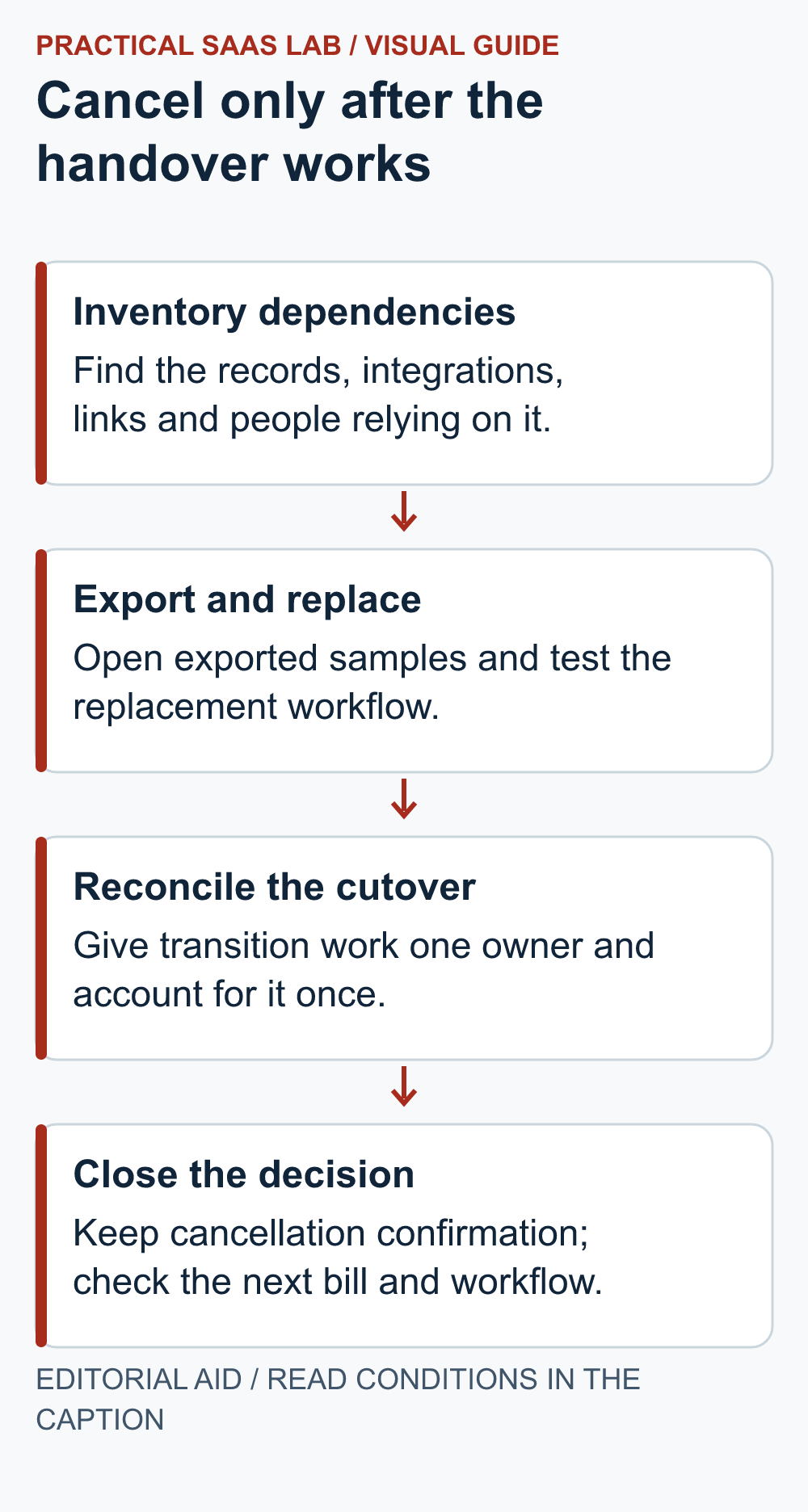
- Confirm who can authorise cancellation and check the account’s actual terms.
- Export the required records and files; open a sample and verify relationships, dates and attachments.
- Move ownership, connected workflows and customer-facing links to the approved replacement.
- Test the replacement with the normal operator and a backup operator.
- Set a cutover date and reconcile work created during the transition.
- Cancel or reduce the subscription through the documented process, retaining confirmation and the effective date.
- Check the next bill and the affected workflow; close the task only when both agree with the decision.
Removing a seat, cancelling billing and deleting data are separate actions. Confirm each product’s behaviour before proceeding. Keep secrets out of the audit sheet, and follow your organisation’s access and retention requirements. Never delete an account simply because its line item has been coloured red.
Ready to leave? Use the SaaS cancellation checklist to separate disabled renewal, service termination and account deletion, then verify the final bill.
A decision record you can copy
- Purpose and owner: tool, business job, owner and replacement operator.
- Commitment: current cash commitment and next avoidable renewal.
- Decision: proposed change and reason.
- Economics: recurring saving, added work, transition cost and payback assumptions.
- Evidence: dependencies tested and export checked.
- Execution: approval, effective date and next-bill check.
- Open questions: unresolved issue and stop condition.
Put the review ahead of the provider deadline with the SaaS renewal calendar. It separates payment, renewal, action and access-change dates.
When to keep the subscription
Keep it for now when exit risk is unclear, savings cannot be realised soon, or the replacement creates more recurring work than it removes. Set a dated review before the next cancellation deadline so “for now” does not become a permanent department.
Start with one expensive overlap that has a willing owner. If you are evaluating the CRM itself, use our small-business CRM decision guide. For website accounts and renewals, use the website handover checklist.
Editorial basis: Original Practical SaaS Lab decision framework, prepared September 29, 2026. Verify prices, plan limits, export behaviour and cancellation terms in each provider’s current account documentation before acting.
Make the next decision
Choose one subscription with a named owner and a decision deadline. If the team is replacing it, test one representative task and the export before cancellation using the SaaS trial scorecard and data export checks. If the work involves a CRM migration or automation, use the CRM cutover guide or automation recovery guide to define the acceptance test. Record the result and the next bill to verify that the saving actually took effect.
Useful detail: Audit the small subscriptions inside a large vendor account
Wix says each site plan, domain, business email and app subscription must be cancelled separately.
For a subscription audit, expand the vendor account into the services actually charged. Keep the critical domain or mailbox even if an unused website add-on can go.
Try this:
- Match each charge to a service and its owner.
- Mark which live customer route depends on it.
- Make one supported cancellation decision at a time and verify the intended charge state without assuming the whole account changed.
Source: Wix: account closure and subscriptions. Checked October 3, 2026. The practical check is a PSL suggestion.